




This module keeps booked buyers informed throughout the construction cycle — from excavation to handover. It reduces anxiety, prevents refund requests, and improves trust by giving buyers structured, transparent updates.
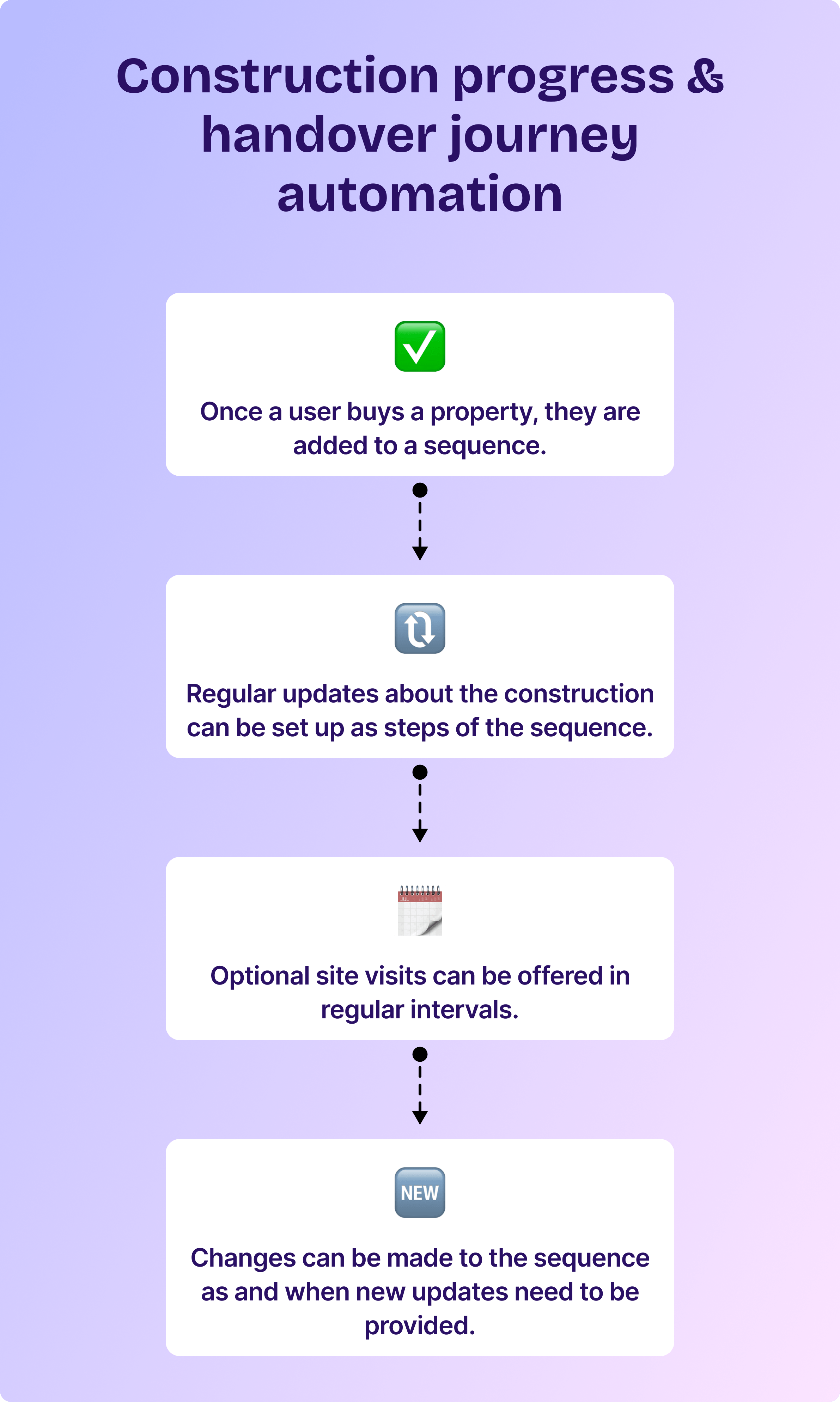
Steps to set up construction progress & handover journey automation
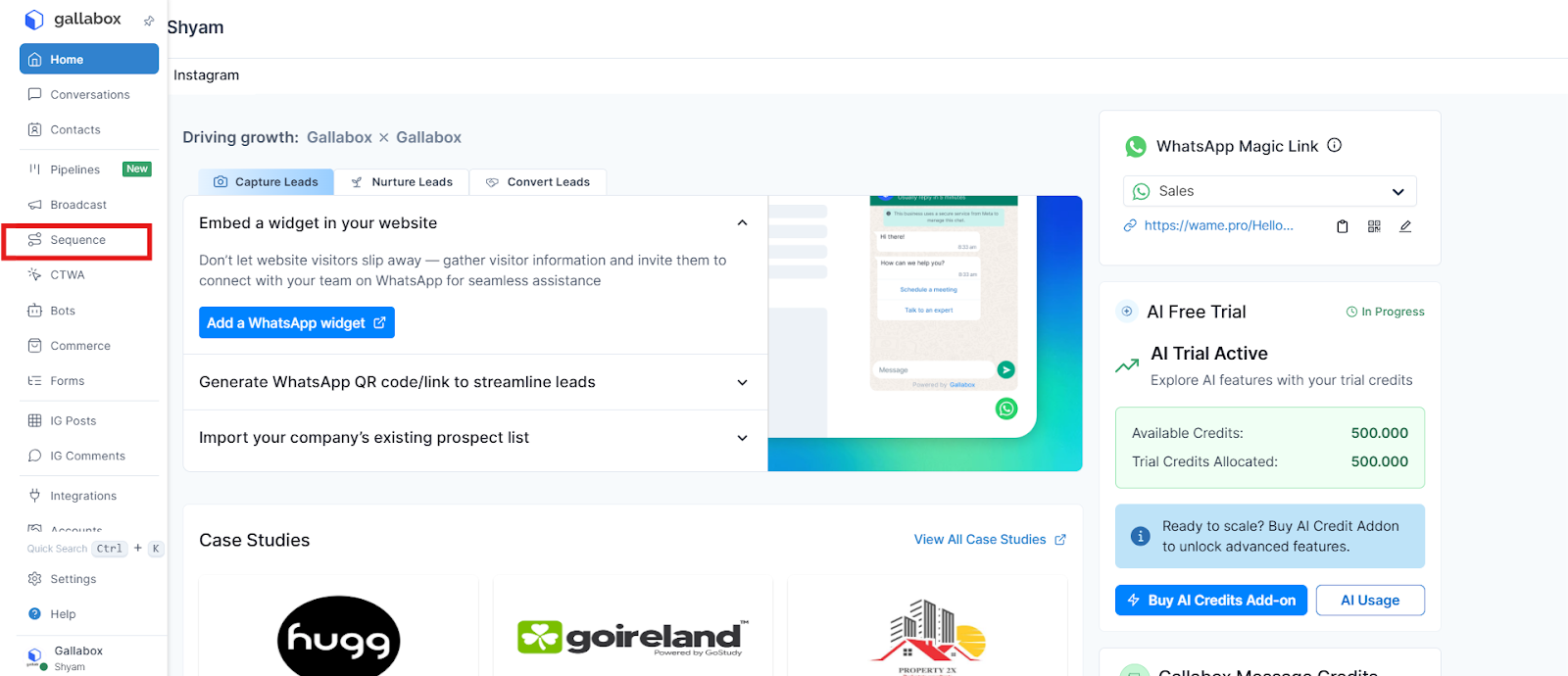
1. In the Gallabox dashboard, select Sequences.
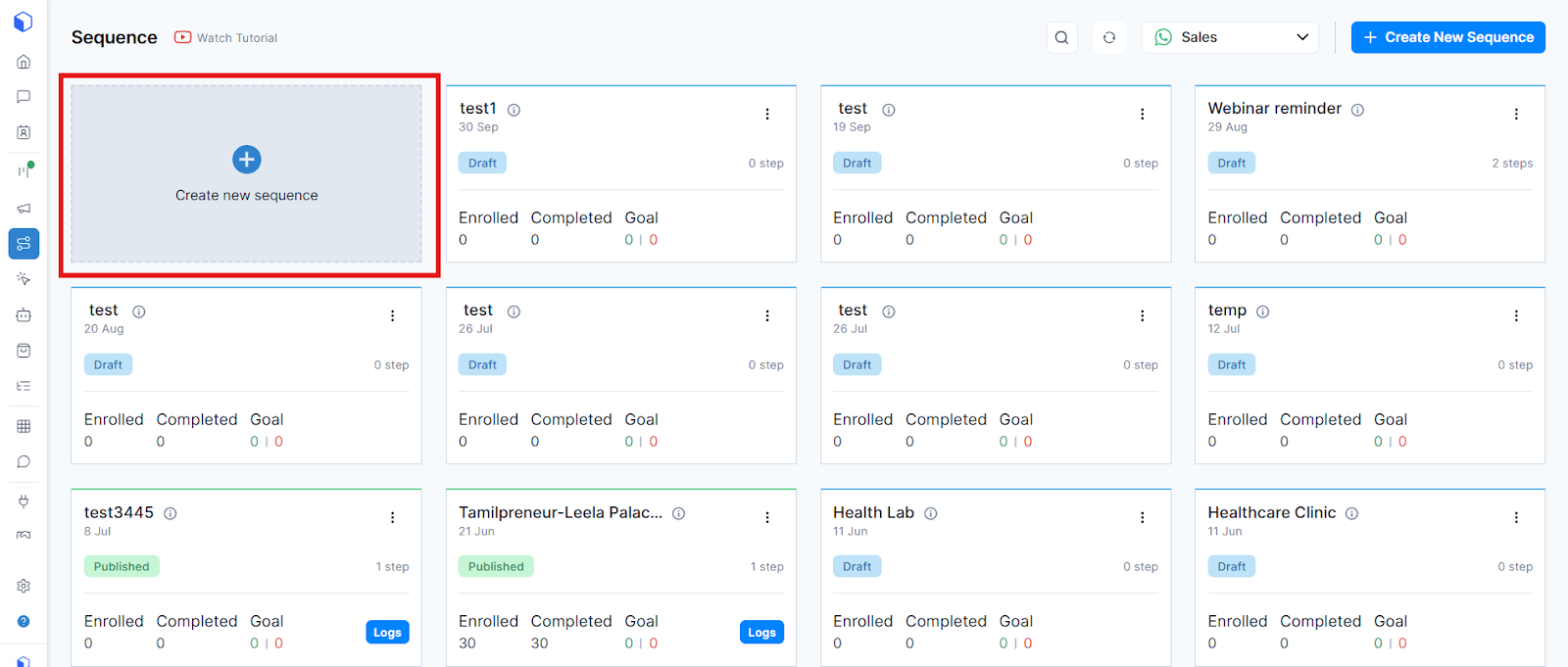
2. Create a new sequence.
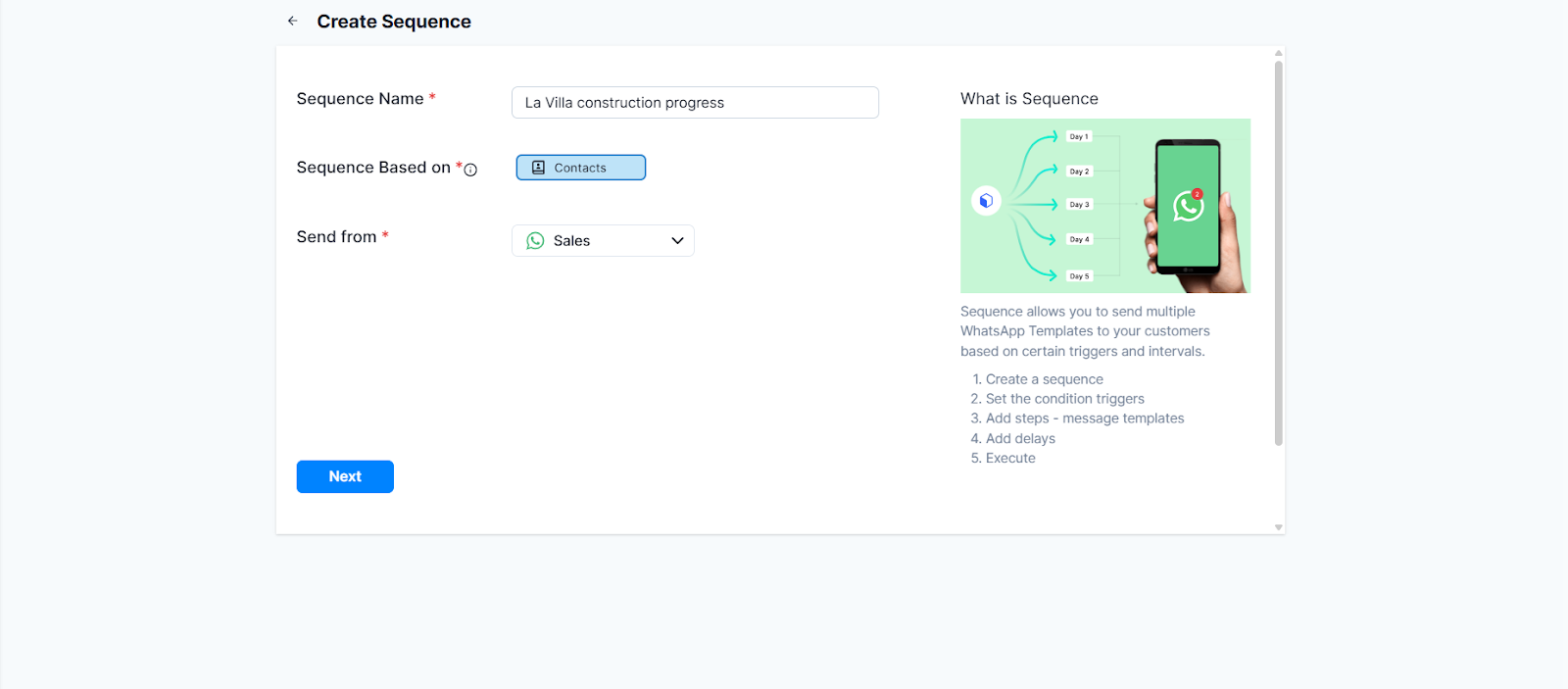
3. Enter your sequence name, the target audience, and the channel from which you want the sequence to be sent.
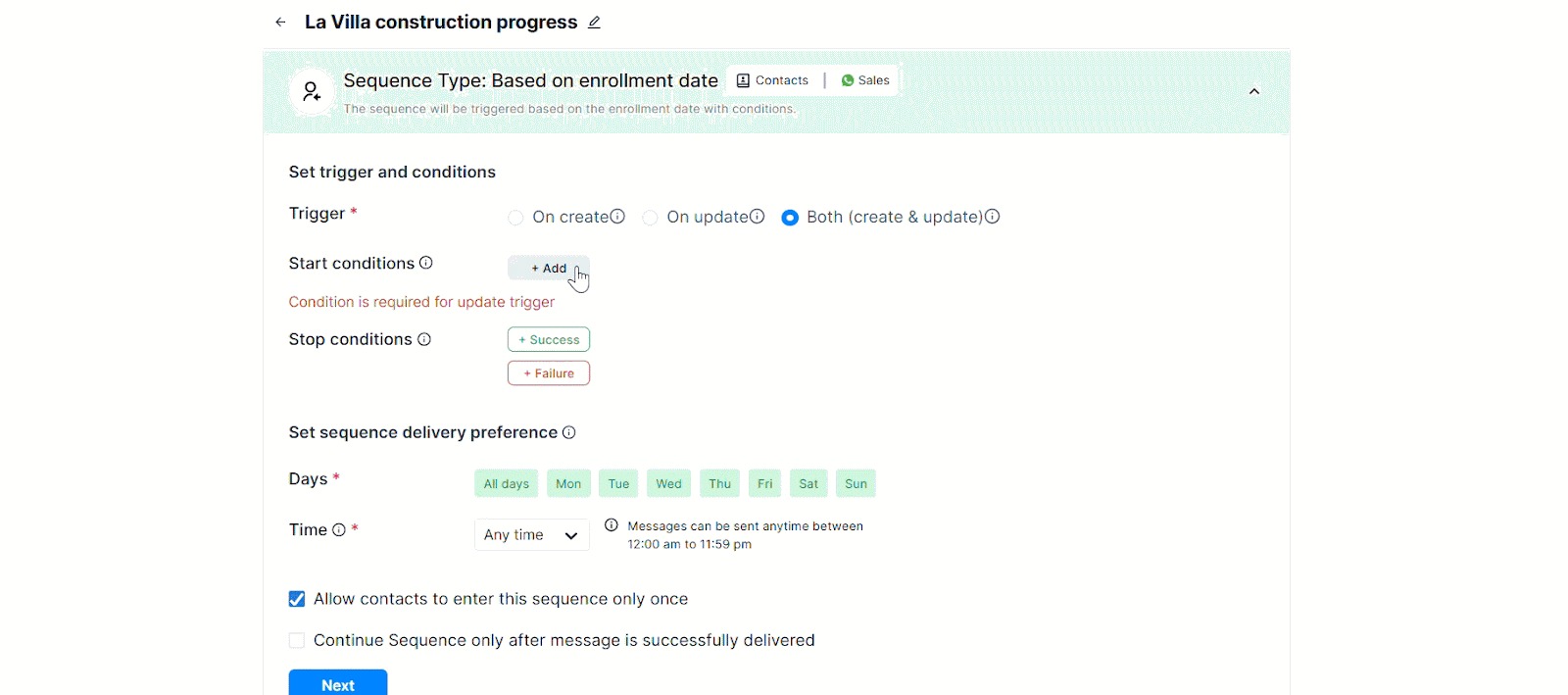
4. Select the start and stop conditions and when you want the sequence to be triggered.
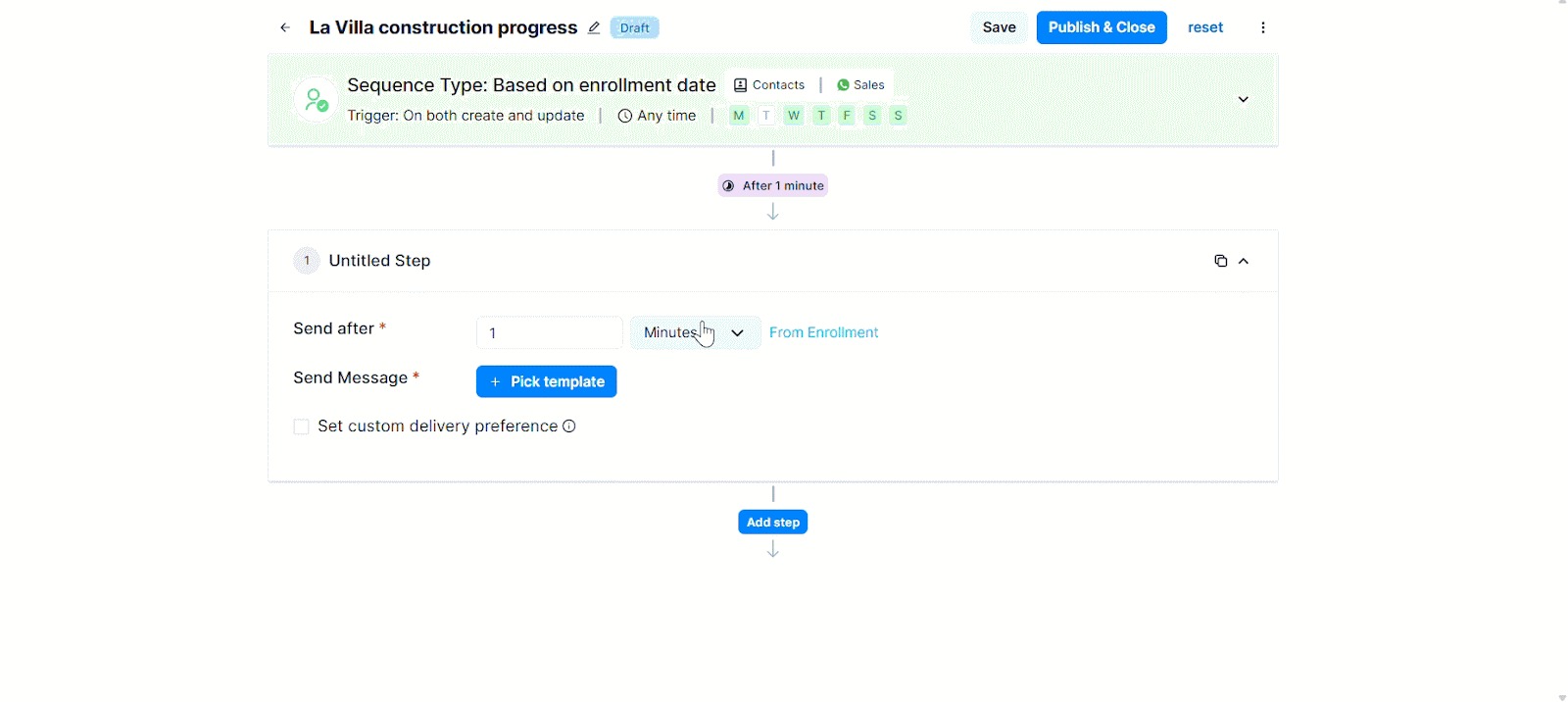
5. Select the messages you want to send. Ensure that you submit your message for approval beforehand. Similarly, you can set the next steps of the sequence and set when each step must be triggered.
6. Once you are done setting up all steps, publish the sequence.
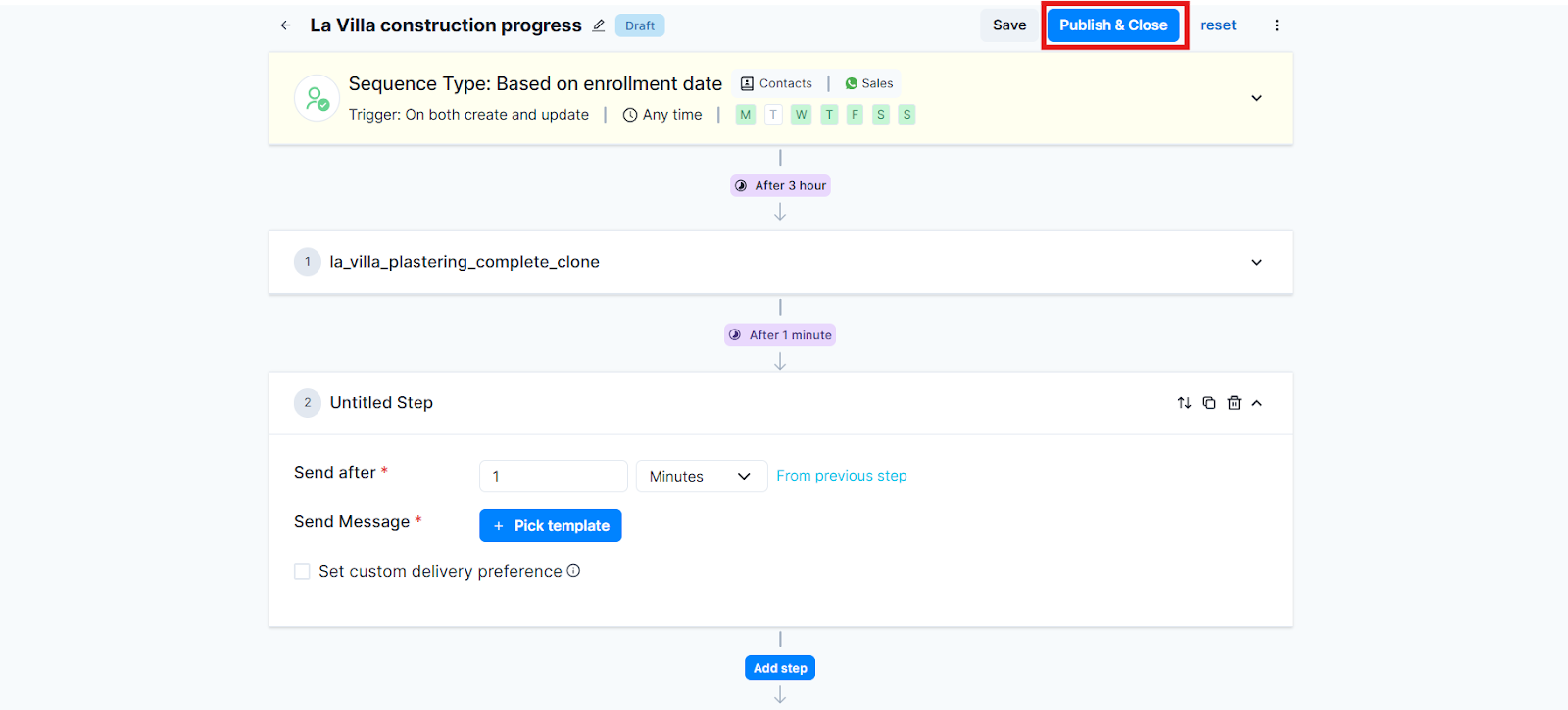
This is how you set up a construction progress sequence using Gallabox for residential real estate.
.svg)

.png)
Get your business on WhatsApp with Gallabox
Heading

This module keeps booked buyers informed throughout the construction cycle — from excavation to handover. It reduces anxiety, prevents refund requests, and improves trust by giving buyers structured, transparent updates.
Steps to set up construction progress & handover journey automation
1. In the Gallabox dashboard, select Sequences.
2. Create a new sequence.
3. Enter your sequence name, the target audience, and the channel from which you want the sequence to be sent.
4. Select the start and stop conditions and when you want the sequence to be triggered.
5. Select the messages you want to send. Ensure that you submit your message for approval beforehand. Similarly, you can set the next steps of the sequence and set when each step must be triggered.
6. Once you are done setting up all steps, publish the sequence.
This is how you set up a construction progress sequence using Gallabox for residential real estate.
Get your business on WhatsApp with Gallabox
Get your business on WhatsApp with Gallabox
Related articles
Take Gallabox for a 7-day ride
.svg)


%201.webp)


