




This module lets builders instantly showcase available units, configurations, pricing slabs, and floor plans to every incoming buyer — without manual back-and-forth. It ensures every inquiry receives accurate, up-to-date availability instantly.
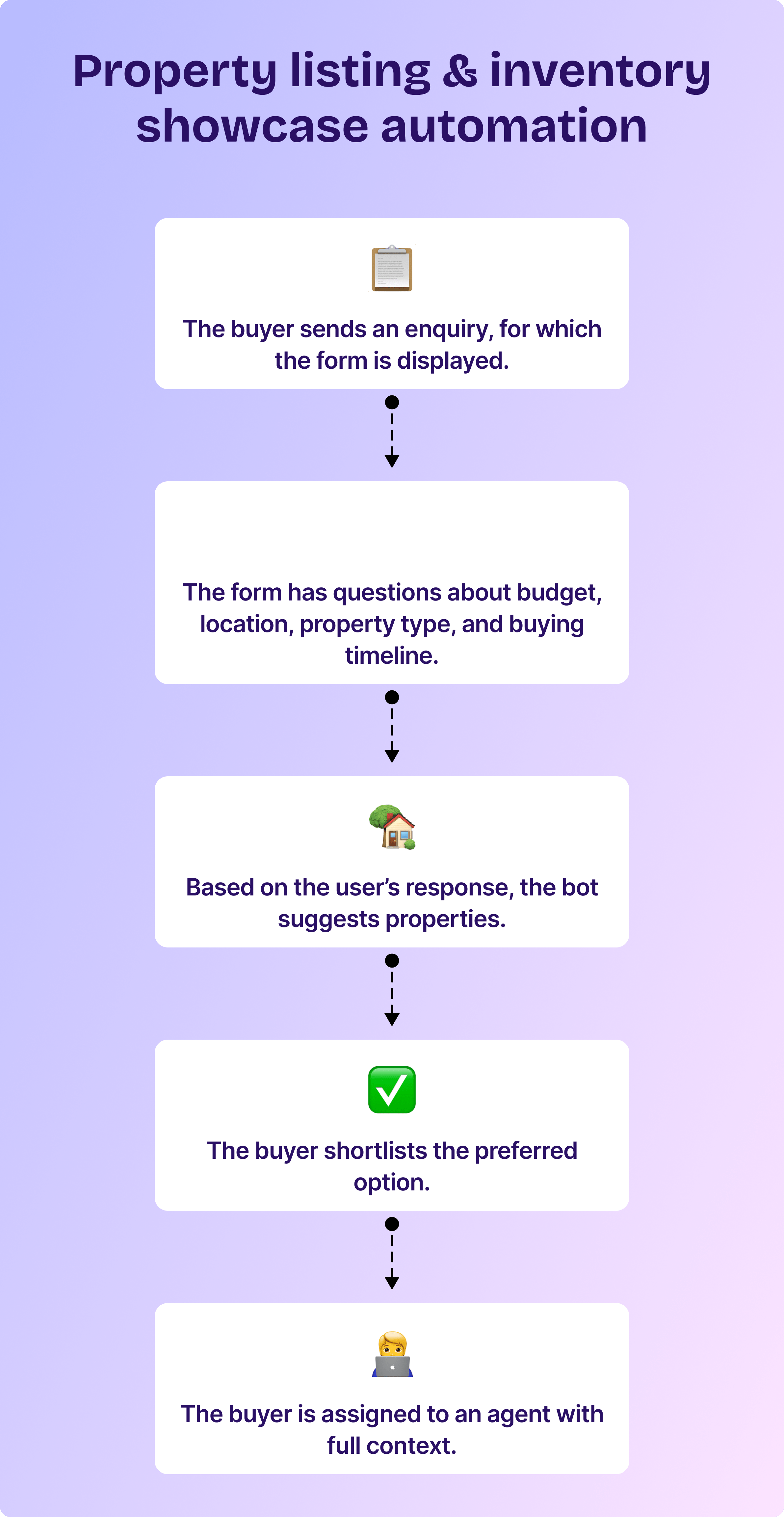
Steps to set up property listing & inventory showcase automation for residential real estate
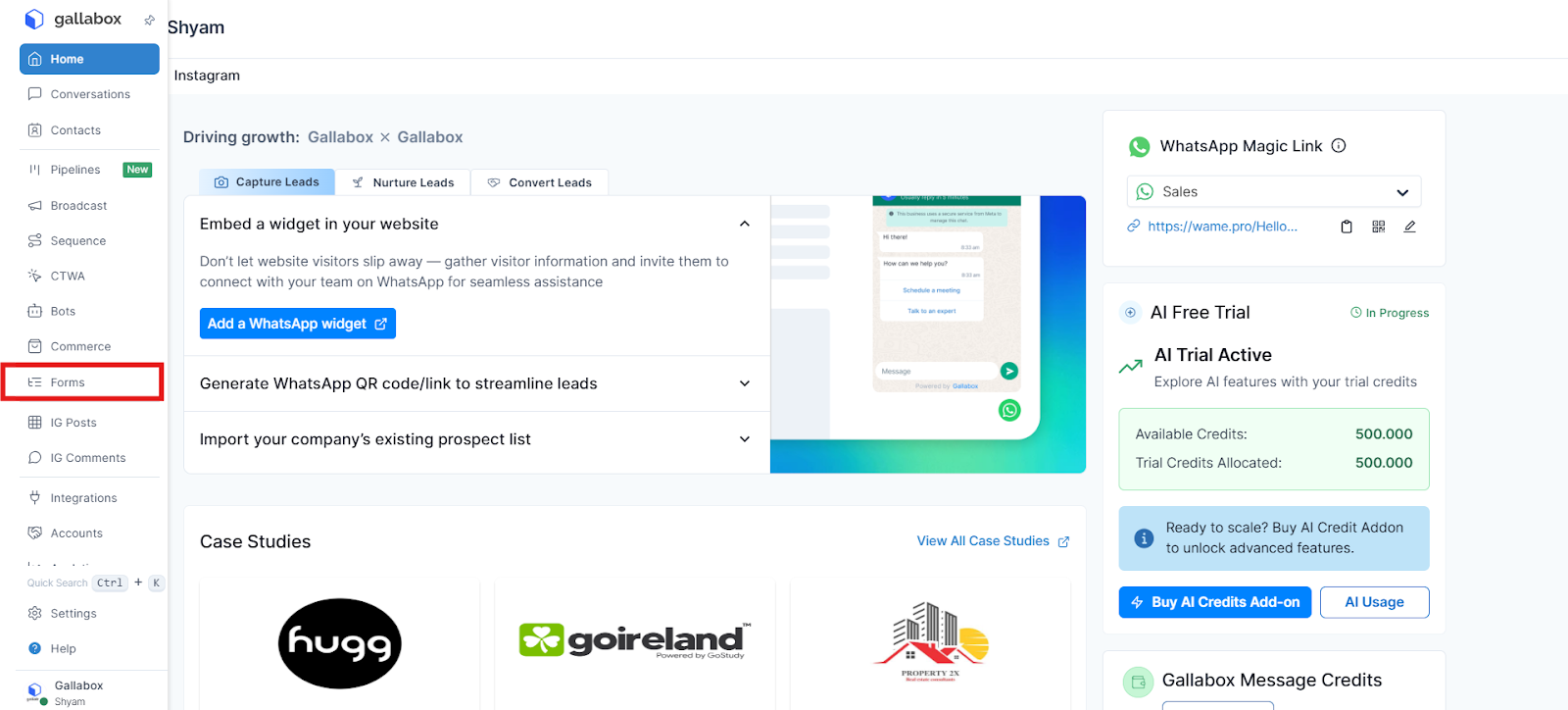
1. In the Gallabox dashboard, go to Forms.
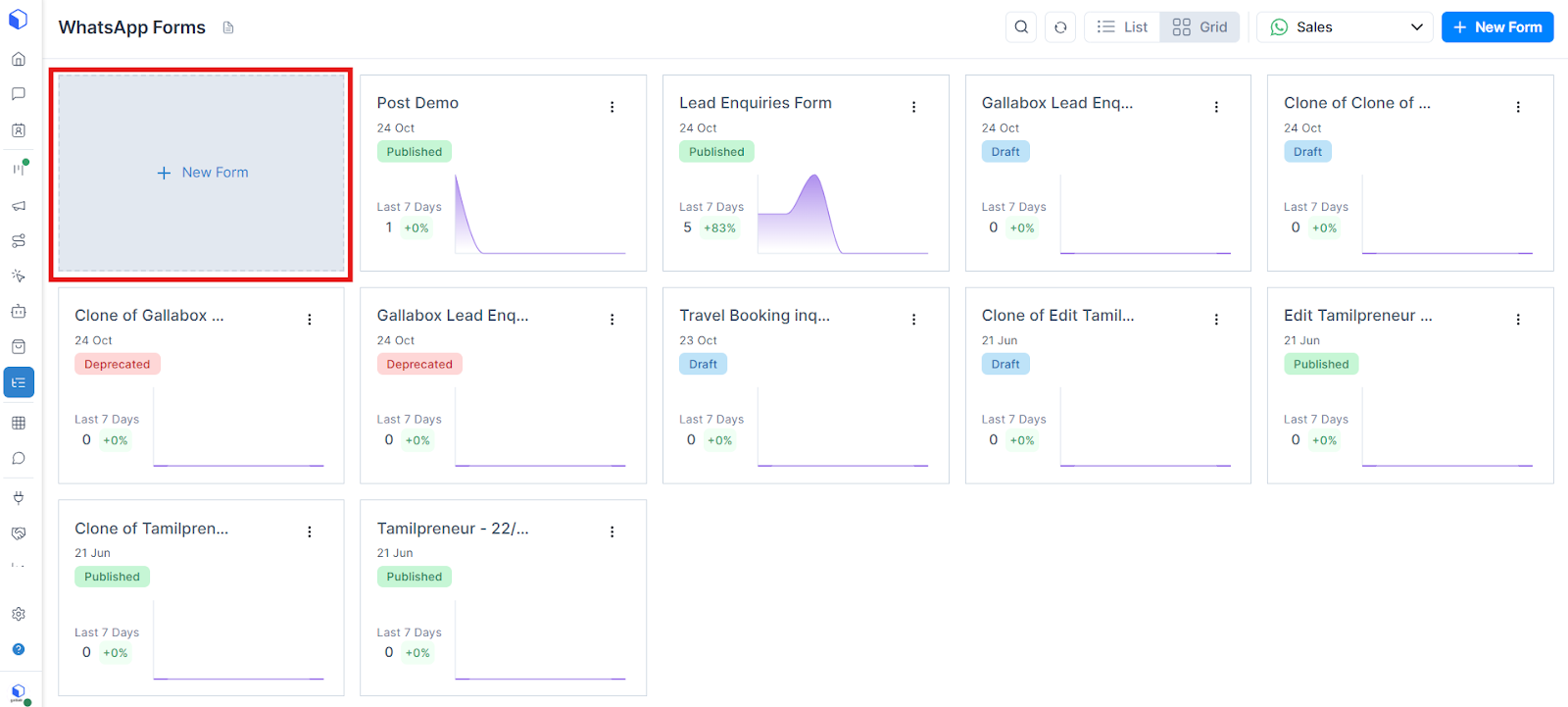
2. Select “Create new form”.
3. You can either build a form from scratch or select one from the list of pre-designed forms. Select the pre-designed “Property listing form”.
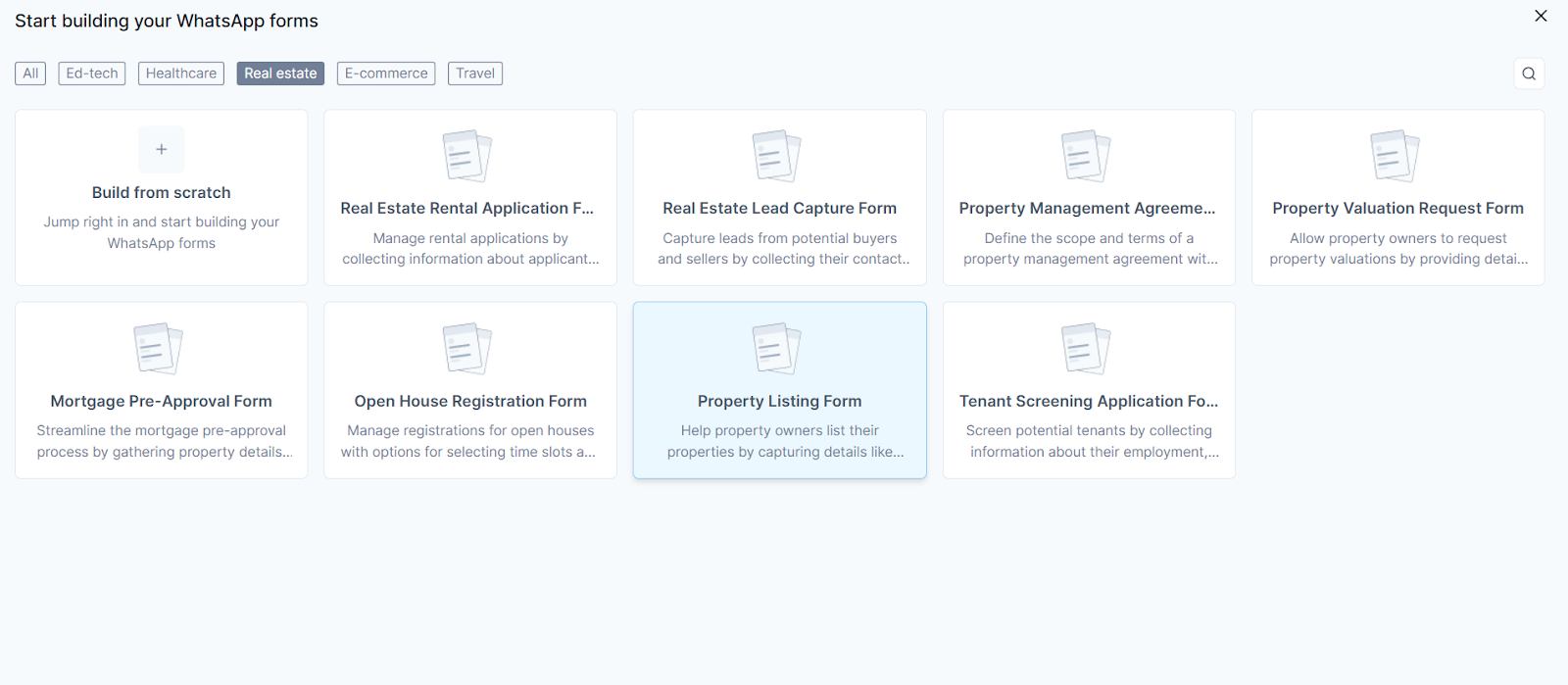
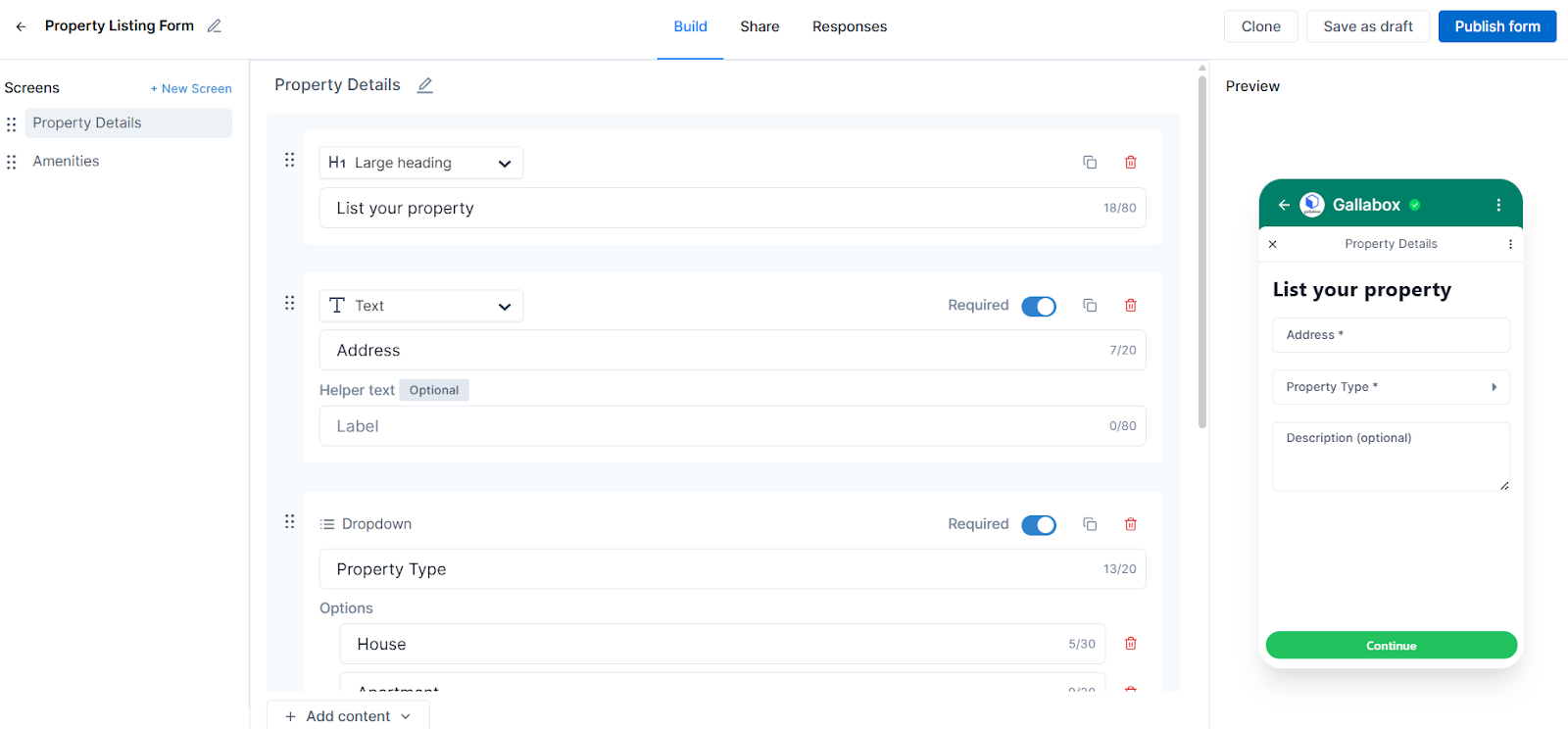
4. Here, you can see the form questions. You can edit them to suit your property and also add additional questions.
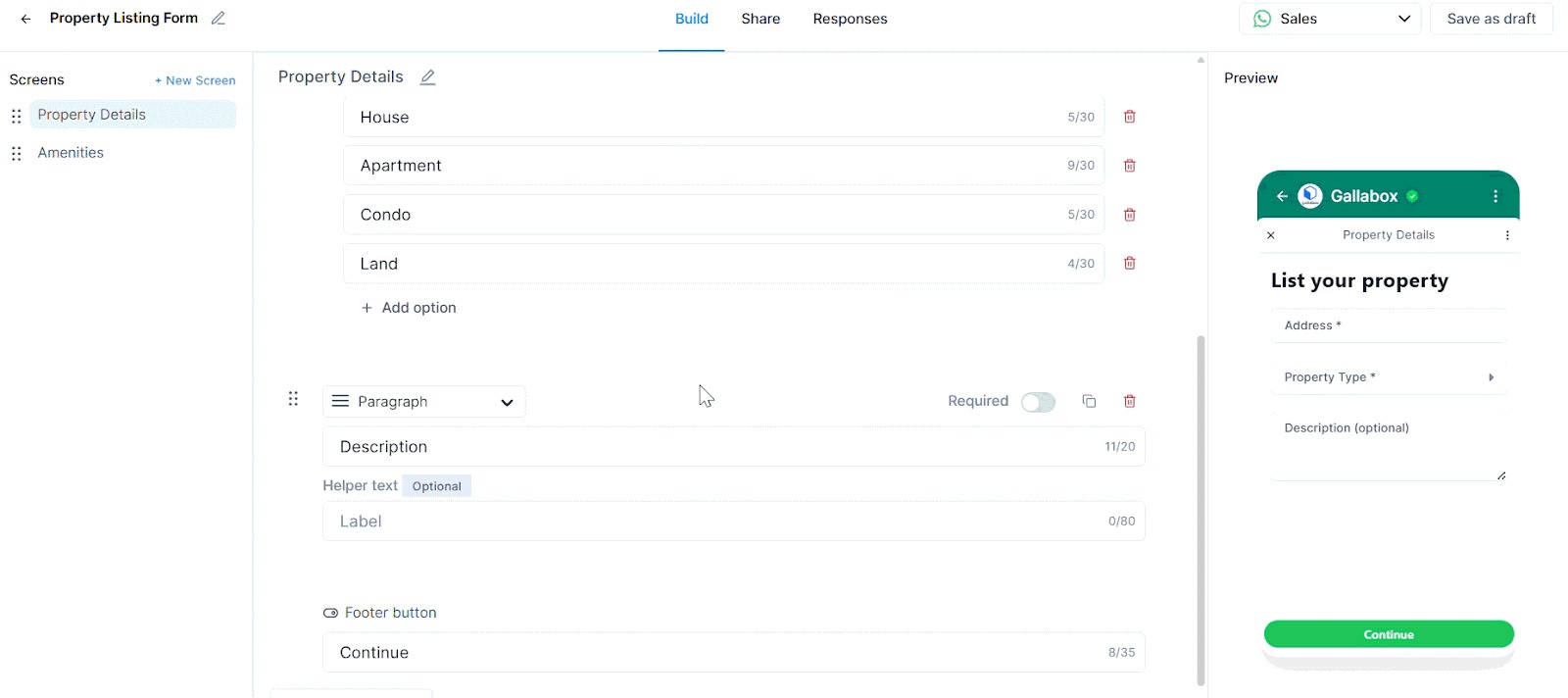
5. Once you are done creating the form, publish it.
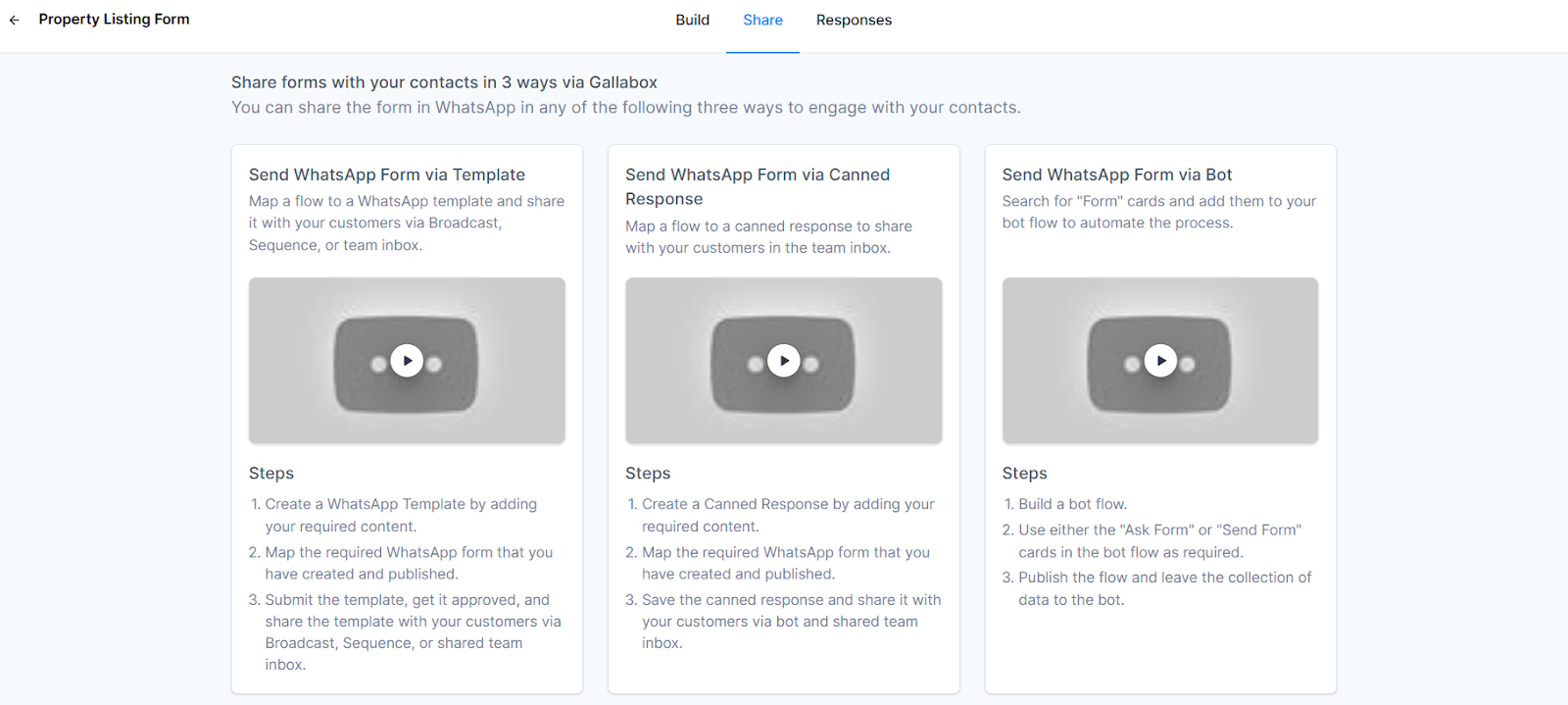
6. You can share the form through a template/a canned response/ a bot.
This is how you create a property listing & inventory showcase automation for residential real estate.
.svg)

.png)
Get your business on WhatsApp with Gallabox
Heading

This module lets builders instantly showcase available units, configurations, pricing slabs, and floor plans to every incoming buyer — without manual back-and-forth. It ensures every inquiry receives accurate, up-to-date availability instantly.
Steps to set up property listing & inventory showcase automation for residential real estate
1. In the Gallabox dashboard, go to Forms.
2. Select “Create new form”.
3. You can either build a form from scratch or select one from the list of pre-designed forms. Select the pre-designed “Property listing form”.
4. Here, you can see the form questions. You can edit them to suit your property and also add additional questions.
5. Once you are done creating the form, publish it.
6. You can share the form through a template/a canned response/ a bot.
This is how you create a property listing & inventory showcase automation for residential real estate.
Get your business on WhatsApp with Gallabox
Get your business on WhatsApp with Gallabox
Related articles
Take Gallabox for a 7-day ride
.svg)


%201.webp)


