


Let your patients book appointments on WhatsApp 24/7 so you don’t miss calls during lunch breaks or after-hours voicemails. The bot collects symptoms, provider preferences, availability, and insurance information, then instantly confirms routine visits. When someone reports urgent symptoms like chest pain or difficulty breathing, your staff gets an immediate alert so you can respond fast.
Here’s how it would flow
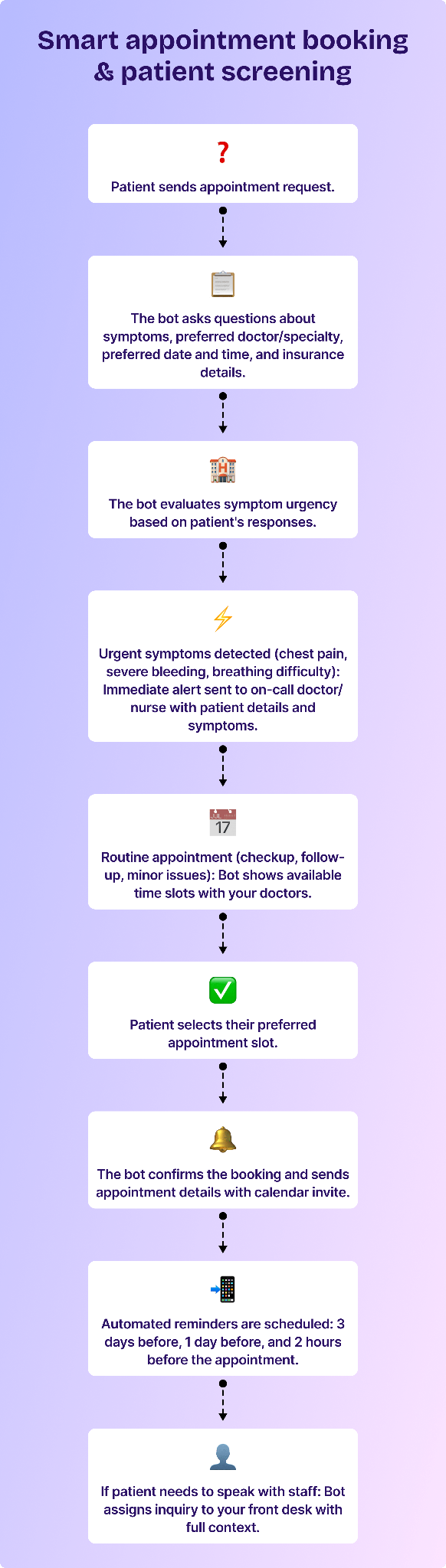
Steps to set up the appointment booking & screening bot:
- In the Gallabox dashboard, select Bots.
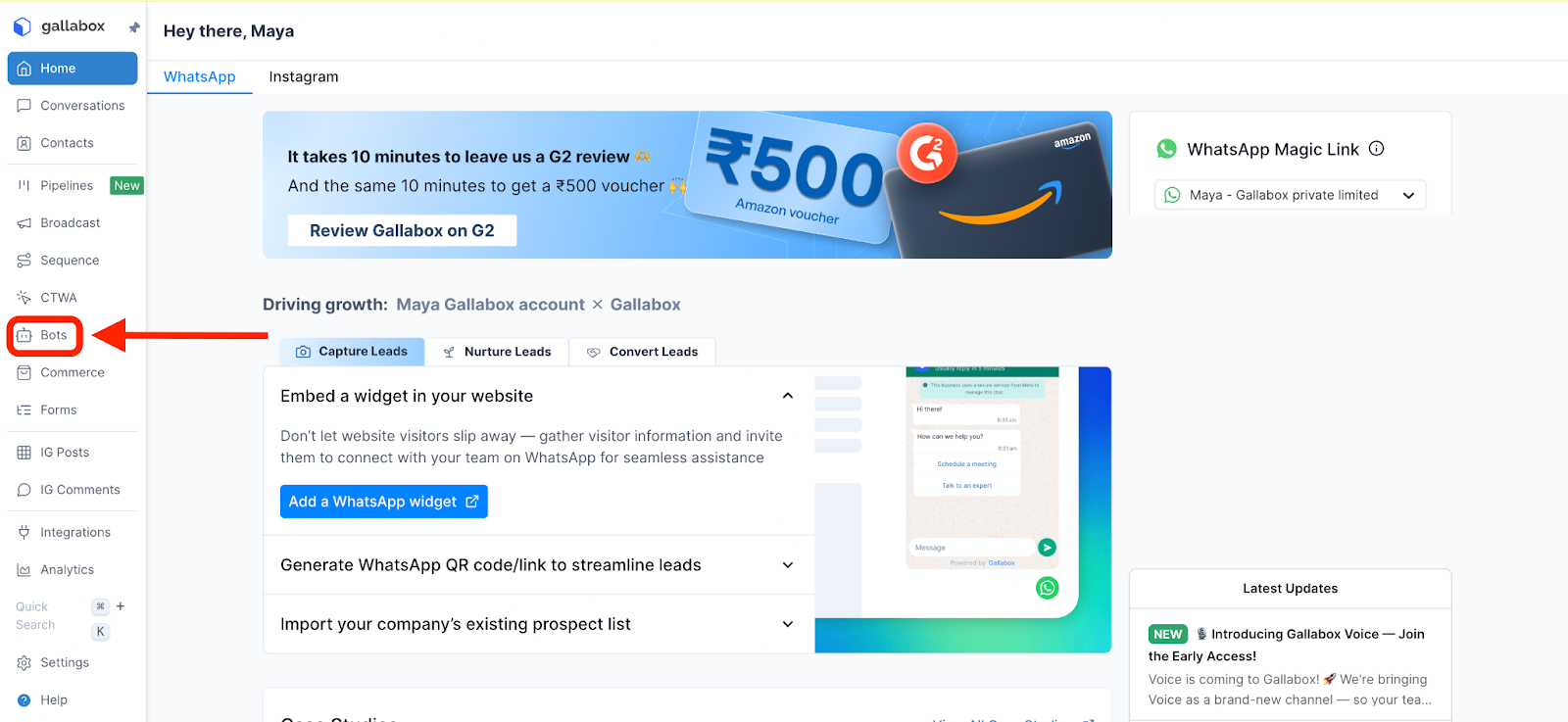
- Click "Create New Bot" and name it "Appointment Booking Bot".
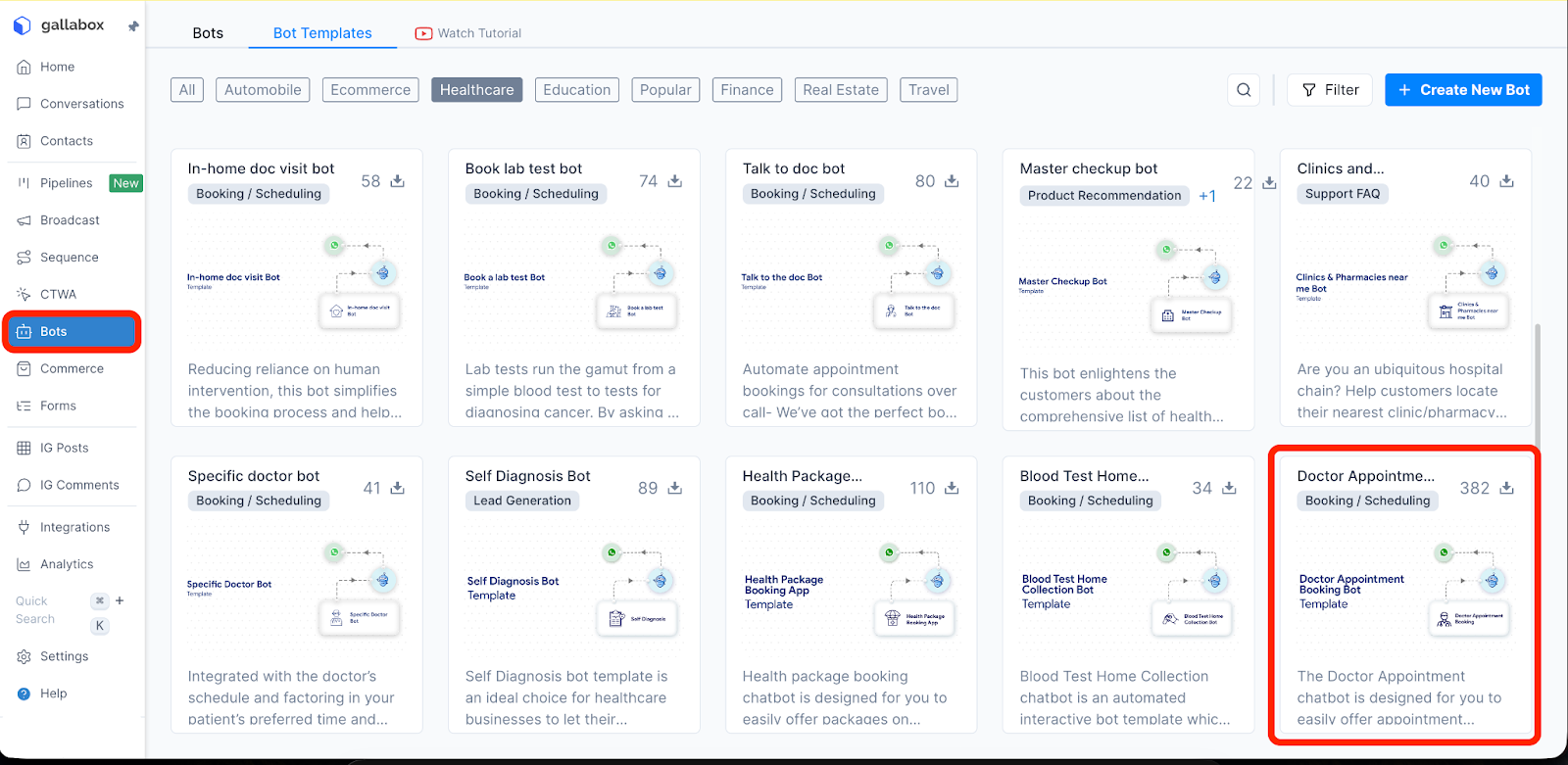
- Build your bot with the following structure: \
- Welcome message: "Hi! I'm your clinic assistant. I can help you book an appointment. What brings you in today?"
- Collect patient information:
- Name and phone number
- Brief description of symptoms or reason for visit
- Preferred doctor or specialty
- Preferred date and time
- Insurance provider (if applicable)
- Set up symptom urgency detection: Create keyword triggers for urgent symptoms: "chest pain", "can't breathe", "severe bleeding", "high fever above 103", "unconscious", "stroke symptoms"
- For routine appointments:
- Integrate with your appointment scheduling system (or use Gallabox's calendar feature)
- Show available slots based on doctor availability
- Confirm booking and send appointment details:
- Date, time, doctor name
- Clinic address with Google Maps link
- What to bring (insurance card, previous reports, etc.)
- Add patient to "appointment_confirmed" tag
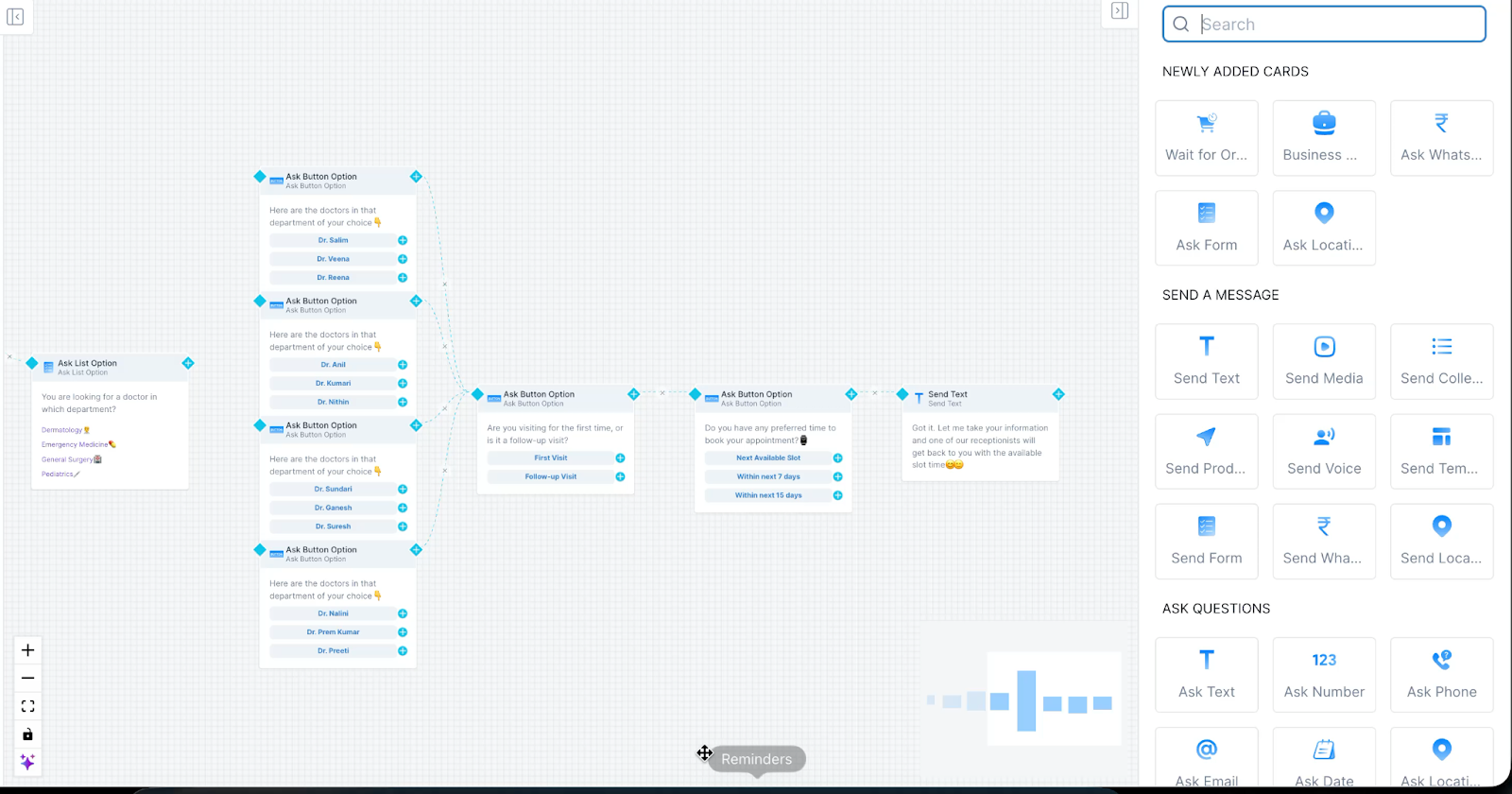
- Set up automated appointment reminders:
- Go to Sequences in Gallabox dashboard
- Create "Appointment Reminder" sequence
- Trigger condition: When patient is tagged "appointment_confirmed"
- Message schedule:
- 3 days before: "Hi [Name], reminder of your appointment with Dr. [Doctor] on [Date] at [Time]. Reply CONFIRM or RESCHEDULE."
- 1 day before: "Your appointment is tomorrow at [Time]. Please arrive 10 minutes early. Location: [Address]"
- 2 hours before: "Your appointment with Dr. [Doctor] is at [Time] today. See you soon!"
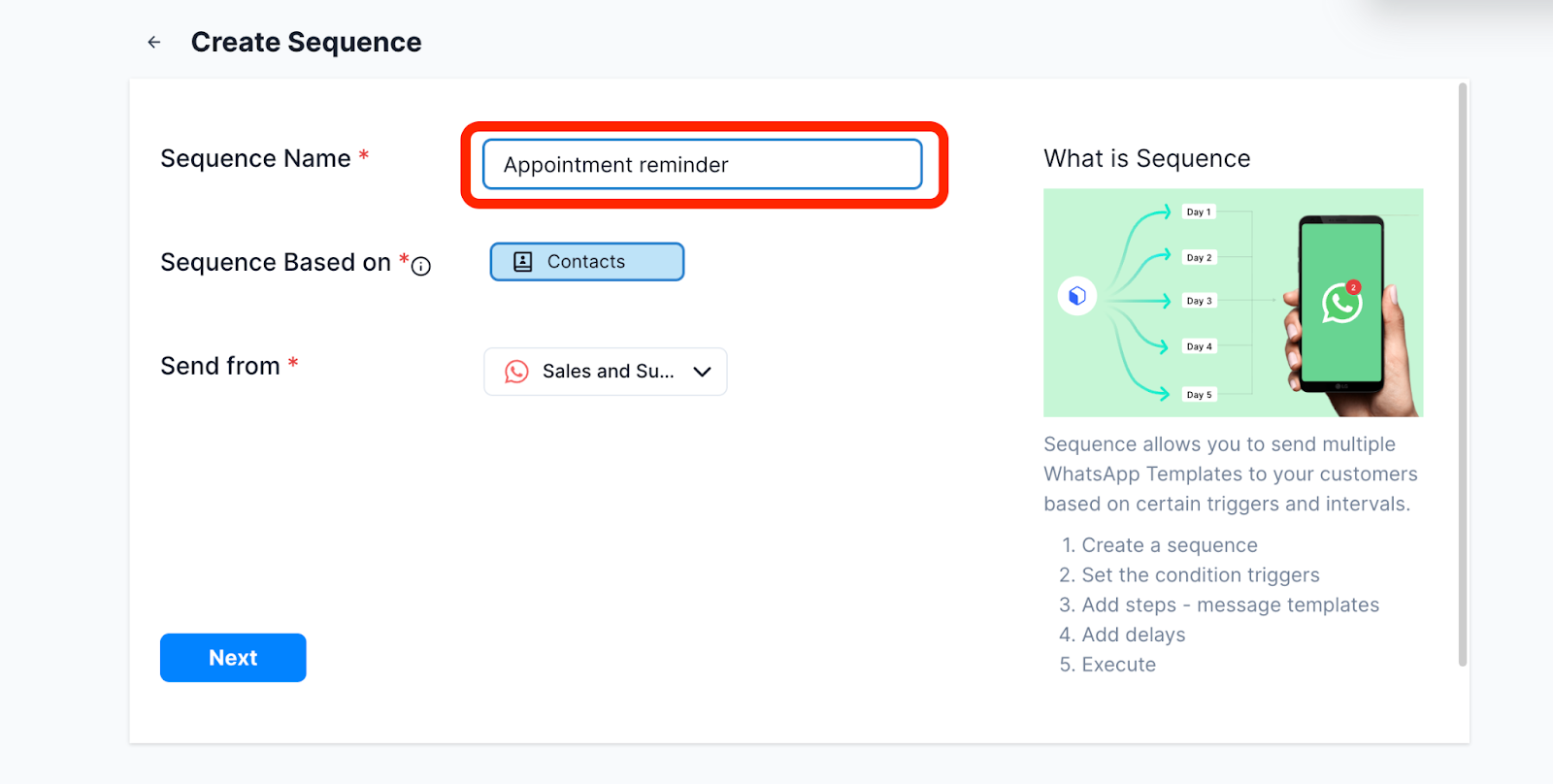
- Publish the bot to make it ready for use.
.svg)

.png)
Get your business on WhatsApp with Gallabox
Heading

Let your patients book appointments on WhatsApp 24/7 so you don’t miss calls during lunch breaks or after-hours voicemails. The bot collects symptoms, provider preferences, availability, and insurance information, then instantly confirms routine visits. When someone reports urgent symptoms like chest pain or difficulty breathing, your staff gets an immediate alert so you can respond fast.
Here’s how it would flow
Steps to set up the appointment booking & screening bot:
- In the Gallabox dashboard, select Bots.
- Click "Create New Bot" and name it "Appointment Booking Bot".
- Build your bot with the following structure: \
- Welcome message: "Hi! I'm your clinic assistant. I can help you book an appointment. What brings you in today?"
- Collect patient information:
- Name and phone number
- Brief description of symptoms or reason for visit
- Preferred doctor or specialty
- Preferred date and time
- Insurance provider (if applicable)
- Set up symptom urgency detection: Create keyword triggers for urgent symptoms: "chest pain", "can't breathe", "severe bleeding", "high fever above 103", "unconscious", "stroke symptoms"
- For routine appointments:
- Integrate with your appointment scheduling system (or use Gallabox's calendar feature)
- Show available slots based on doctor availability
- Confirm booking and send appointment details:
- Date, time, doctor name
- Clinic address with Google Maps link
- What to bring (insurance card, previous reports, etc.)
- Add patient to "appointment_confirmed" tag
- Set up automated appointment reminders:
- Go to Sequences in Gallabox dashboard
- Create "Appointment Reminder" sequence
- Trigger condition: When patient is tagged "appointment_confirmed"
- Message schedule:
- 3 days before: "Hi [Name], reminder of your appointment with Dr. [Doctor] on [Date] at [Time]. Reply CONFIRM or RESCHEDULE."
- 1 day before: "Your appointment is tomorrow at [Time]. Please arrive 10 minutes early. Location: [Address]"
- 2 hours before: "Your appointment with Dr. [Doctor] is at [Time] today. See you soon!"
- Publish the bot to make it ready for use.
Get your business on WhatsApp with Gallabox
Get your business on WhatsApp with Gallabox
Related articles
Take Gallabox for a 7-day ride
.svg)


%201.webp)


