



This module lets your patients ask questions or report concerns via WhatsApp anytime, instead of panicking and rushing to the ER or calling your clinic repeatedly. The bot answers common questions instantly (like "Can I take this medicine with food?") and immediately escalates serious symptoms to your on-call doctor. This gives patients peace of mind while ensuring your medical team only handles cases that truly need their attention.
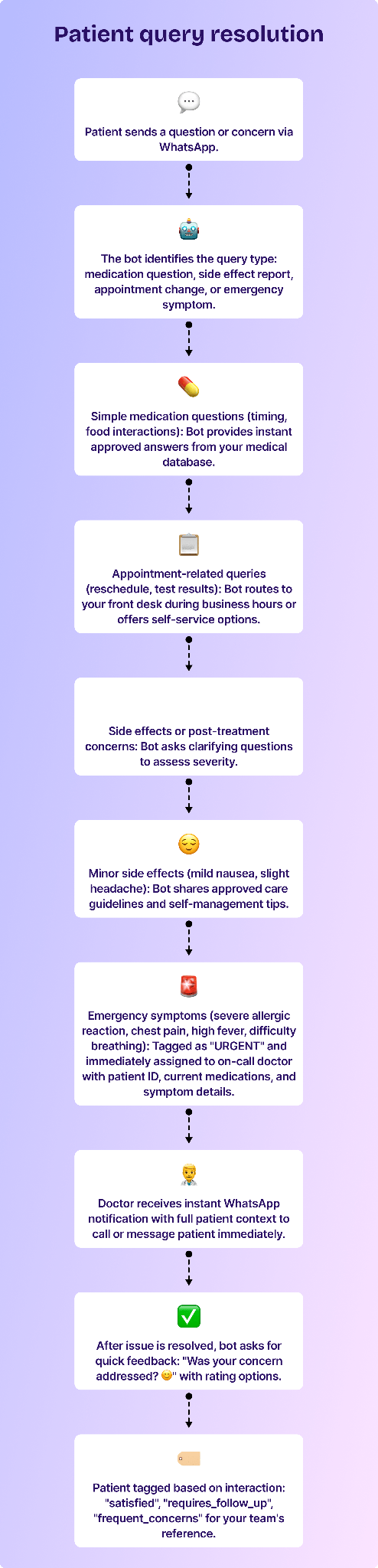
Here’s how you can set up a rule-based guest service and issue resolution bot.
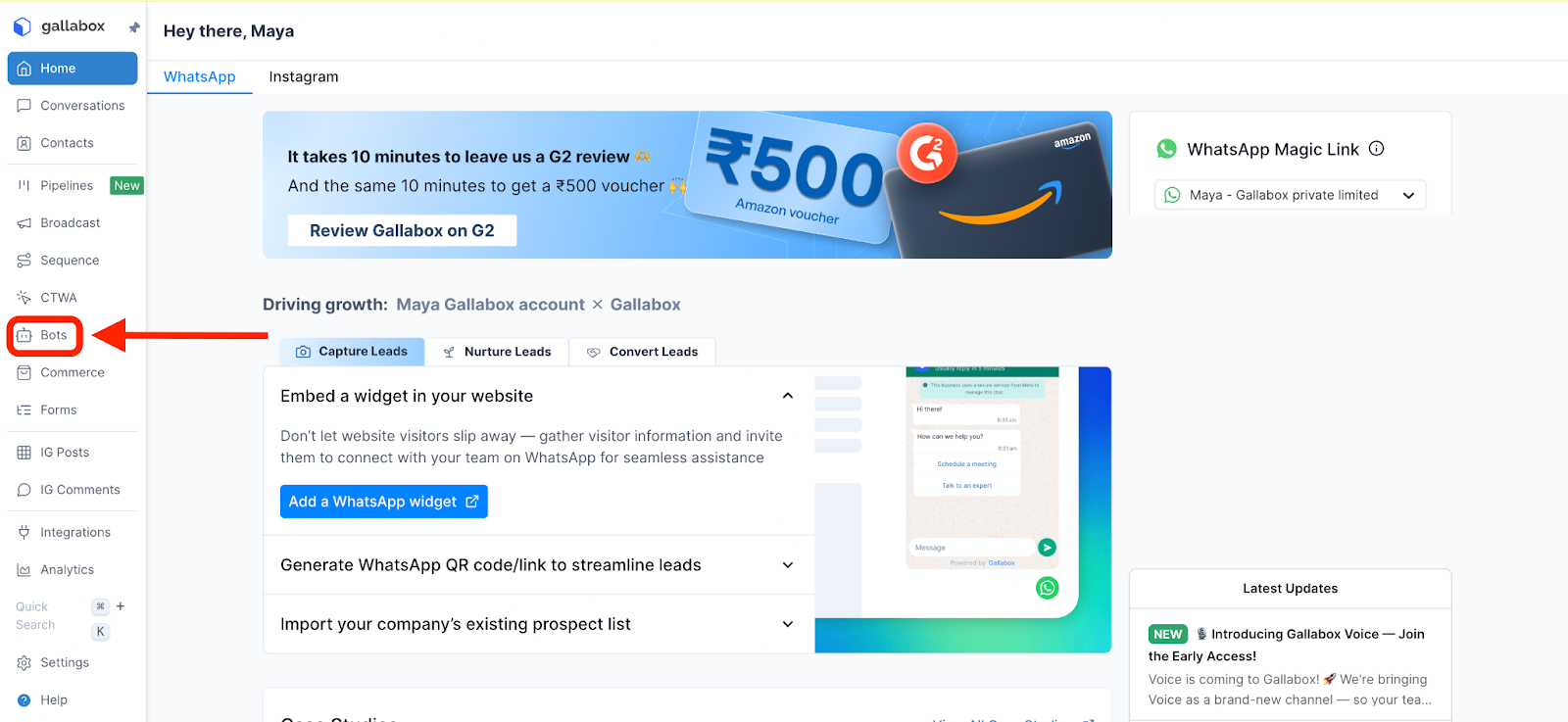
- In the Gallabox dashboard, select Bots.
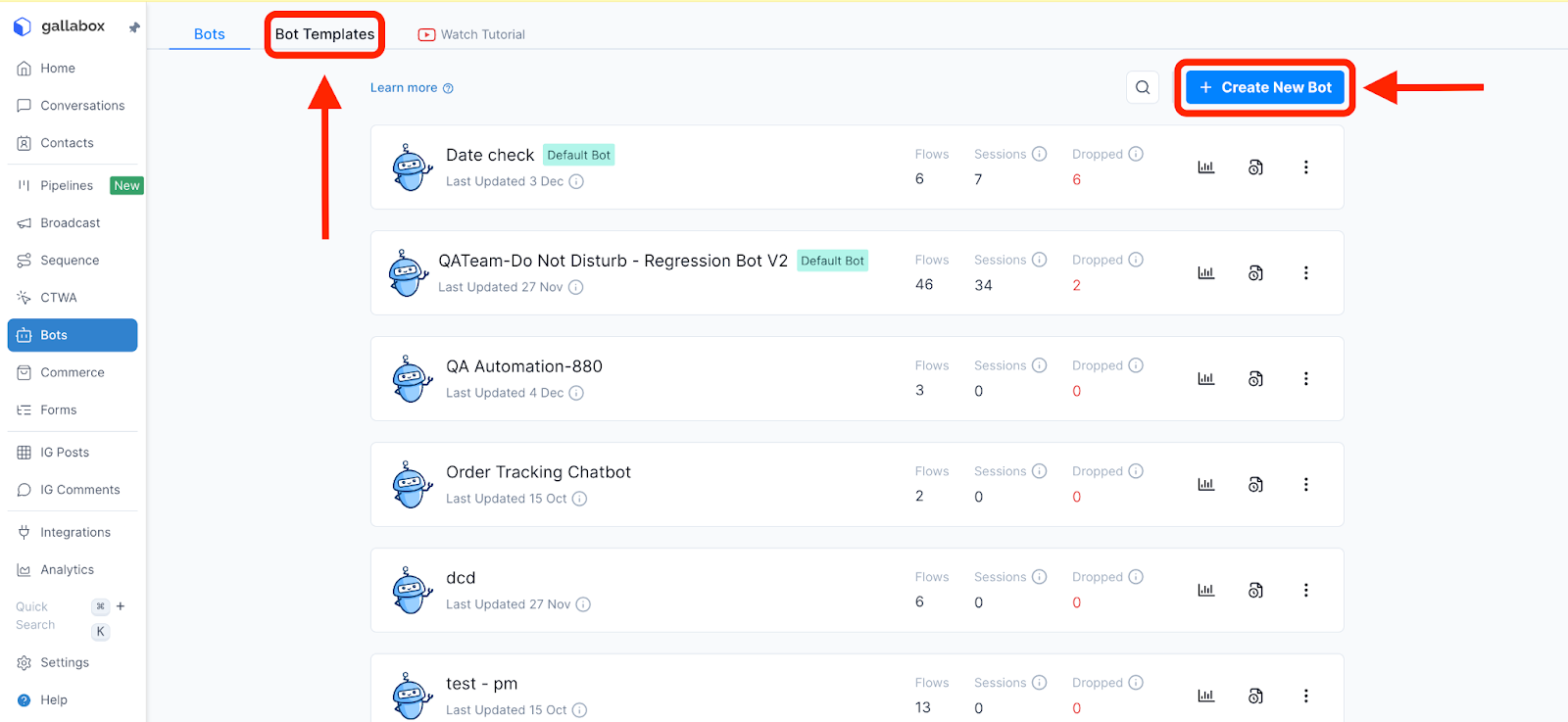
- Click "Create New Bot" and name it "Patient Support Bot".
- Build your welcome message and query categorization:
- Welcome message: "Hi! I'm here to help with any questions or concerns. What do you need help with today?"
- Quick reply options:
- 💊 Medication questions
- 📅 Appointment changes
- 🤒 Symptoms or side effects
- 📄 Test results inquiry
- 💬 Speak to a staff member
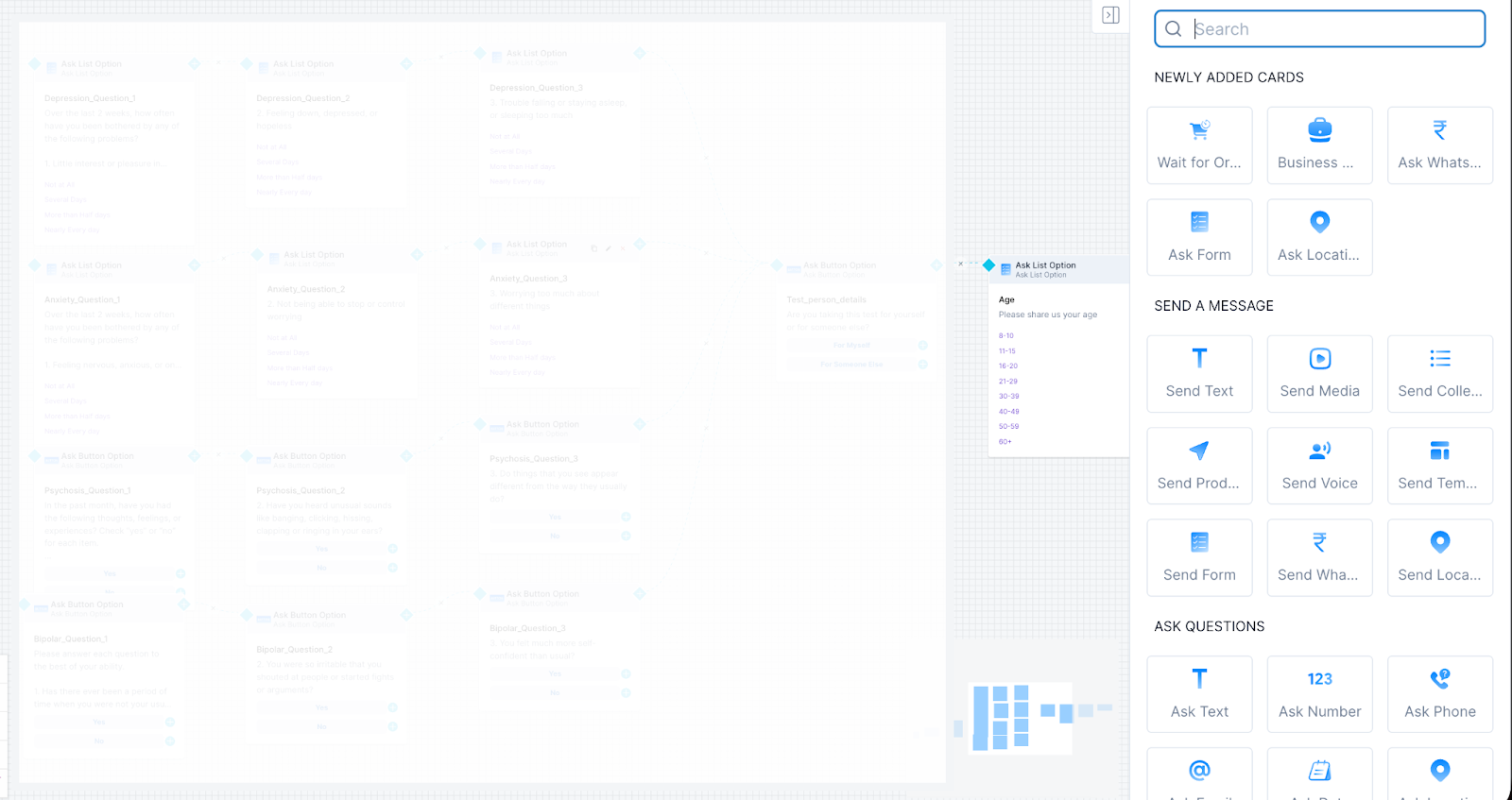
- Set up automated responses for common medication questions:
- Create a knowledge base of FAQs:
- "Can I take [medicine] with food?" → "Yes, [Medicine] should be taken after meals."
- "What if I miss a dose?" → "Take it as soon as you remember, unless it's close to the next dose. Don't double up."
- "Can I drink alcohol with this?" → "Avoid alcohol while taking [Medicine] as it can increase side effects."
- Use keyword detection to match patient questions with approved answers
- Always include: "This is general guidance. For your specific situation, please consult your doctor."
- Create a knowledge base of FAQs:
- Add post-resolution feedback:
- After doctor marks query as "resolved" or patient confirms issue is addressed:
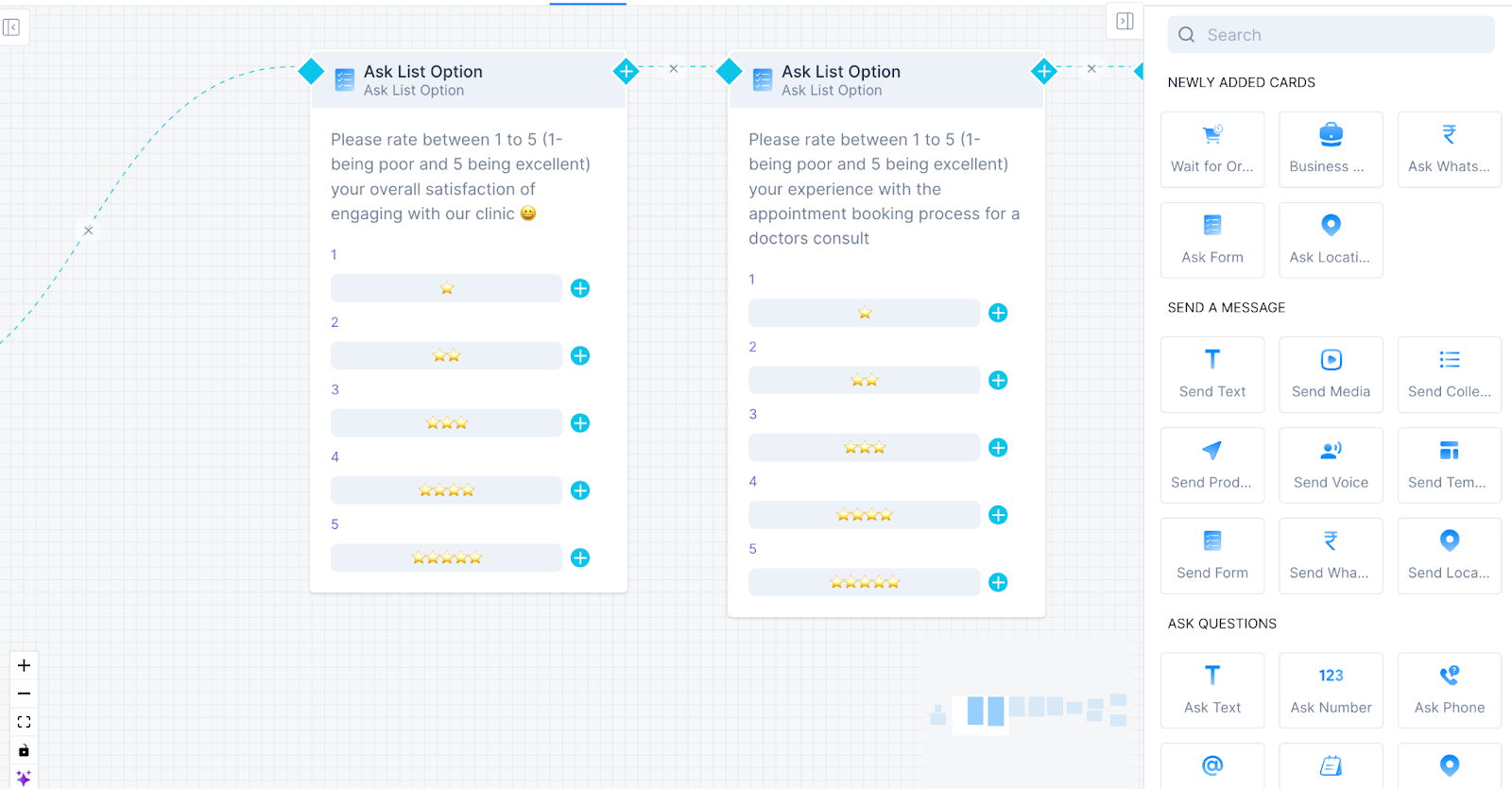
- Bot asks: "Was your concern addressed? 😊"
- Rating options: ⭐⭐⭐⭐⭐ (1-5 stars)
- Based on rating, tag patient:
- 4-5 stars → "satisfied"
- 1-2 stars → "needs_follow_up" (alert patient relations manager)
- After doctor marks query as "resolved" or patient confirms issue is addressed:
- Optional Enhancement: Proactive patient education:
- After common queries, send follow-up educational content:
- "Here's a helpful guide about managing [condition]"
- Video links on how to use medical devices (inhalers, glucose monitors)
- Dietary tips for their specific condition
- After common queries, send follow-up educational content:
- Publish the bot to make it ready for use.
.svg)

.png)
Get your business on WhatsApp with Gallabox
Heading

This module lets your patients ask questions or report concerns via WhatsApp anytime, instead of panicking and rushing to the ER or calling your clinic repeatedly. The bot answers common questions instantly (like "Can I take this medicine with food?") and immediately escalates serious symptoms to your on-call doctor. This gives patients peace of mind while ensuring your medical team only handles cases that truly need their attention.
Here’s how you can set up a rule-based guest service and issue resolution bot.
- In the Gallabox dashboard, select Bots.
- Click "Create New Bot" and name it "Patient Support Bot".
- Build your welcome message and query categorization:
- Welcome message: "Hi! I'm here to help with any questions or concerns. What do you need help with today?"
- Quick reply options:
- 💊 Medication questions
- 📅 Appointment changes
- 🤒 Symptoms or side effects
- 📄 Test results inquiry
- 💬 Speak to a staff member
- Set up automated responses for common medication questions:
- Create a knowledge base of FAQs:
- "Can I take [medicine] with food?" → "Yes, [Medicine] should be taken after meals."
- "What if I miss a dose?" → "Take it as soon as you remember, unless it's close to the next dose. Don't double up."
- "Can I drink alcohol with this?" → "Avoid alcohol while taking [Medicine] as it can increase side effects."
- Use keyword detection to match patient questions with approved answers
- Always include: "This is general guidance. For your specific situation, please consult your doctor."
- Create a knowledge base of FAQs:
- Add post-resolution feedback:
- After doctor marks query as "resolved" or patient confirms issue is addressed:
- Bot asks: "Was your concern addressed? 😊"
- Rating options: ⭐⭐⭐⭐⭐ (1-5 stars)
- Based on rating, tag patient:
- 4-5 stars → "satisfied"
- 1-2 stars → "needs_follow_up" (alert patient relations manager)
- After doctor marks query as "resolved" or patient confirms issue is addressed:
- Optional Enhancement: Proactive patient education:
- After common queries, send follow-up educational content:
- "Here's a helpful guide about managing [condition]"
- Video links on how to use medical devices (inhalers, glucose monitors)
- Dietary tips for their specific condition
- After common queries, send follow-up educational content:
- Publish the bot to make it ready for use.
Get your business on WhatsApp with Gallabox
Get your business on WhatsApp with Gallabox
Related articles
Take Gallabox for a 7-day ride
.svg)


%201.webp)


