



This workflow transforms the waiting period between booking confirmation and arrival into a valuable engagement opportunity. Instead of leaving guests in silence after they book, the system progressively shares useful information at strategic intervals leading up to their stay. Guests receive curated local attraction guides, convenient transport options from the airport, early access to spa and dining reservations, and streamlined digital check-in links — all delivered automatically based on their arrival date. This approach builds genuine anticipation for their stay, creates natural opportunities to increase ancillary revenue from spa treatments and dining upgrades, significantly reduces the workload on your front desk during check-in, and ensures every guest arrives feeling informed and excited rather than uncertain about what to expect.

Here’s how you can set up a pre-arrival guest experience sequence using Gallabox.
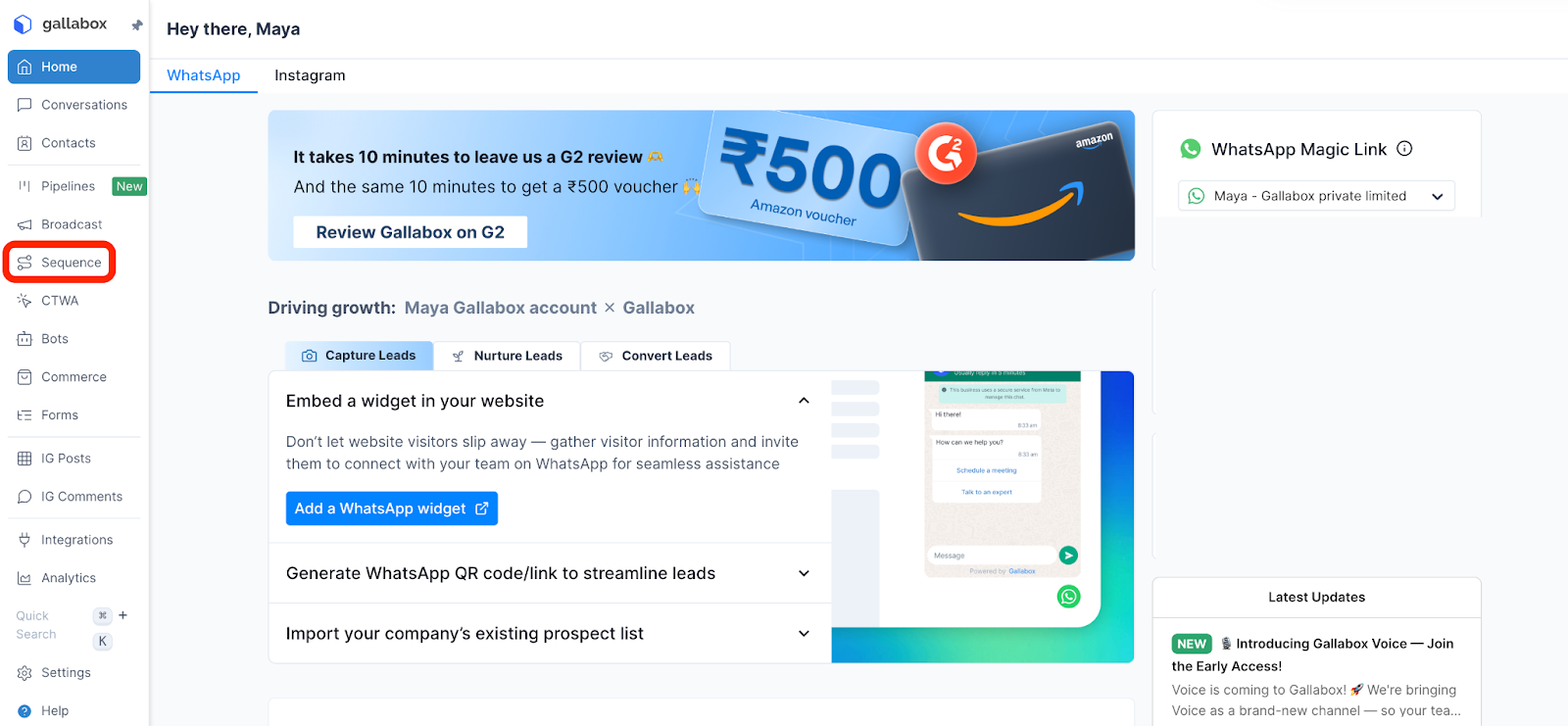
- In the Gallabox dashboard, select Sequences.
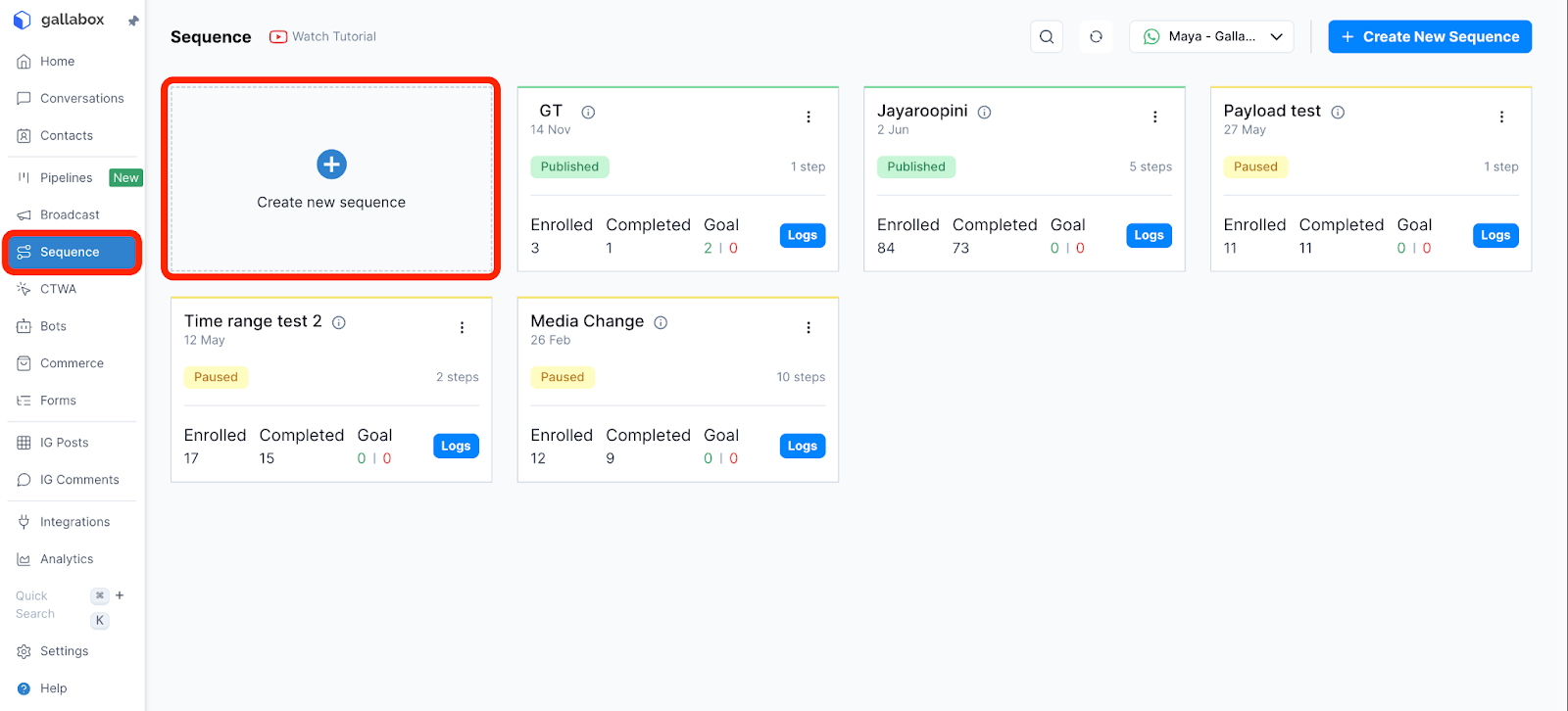
- Create a new sequence.
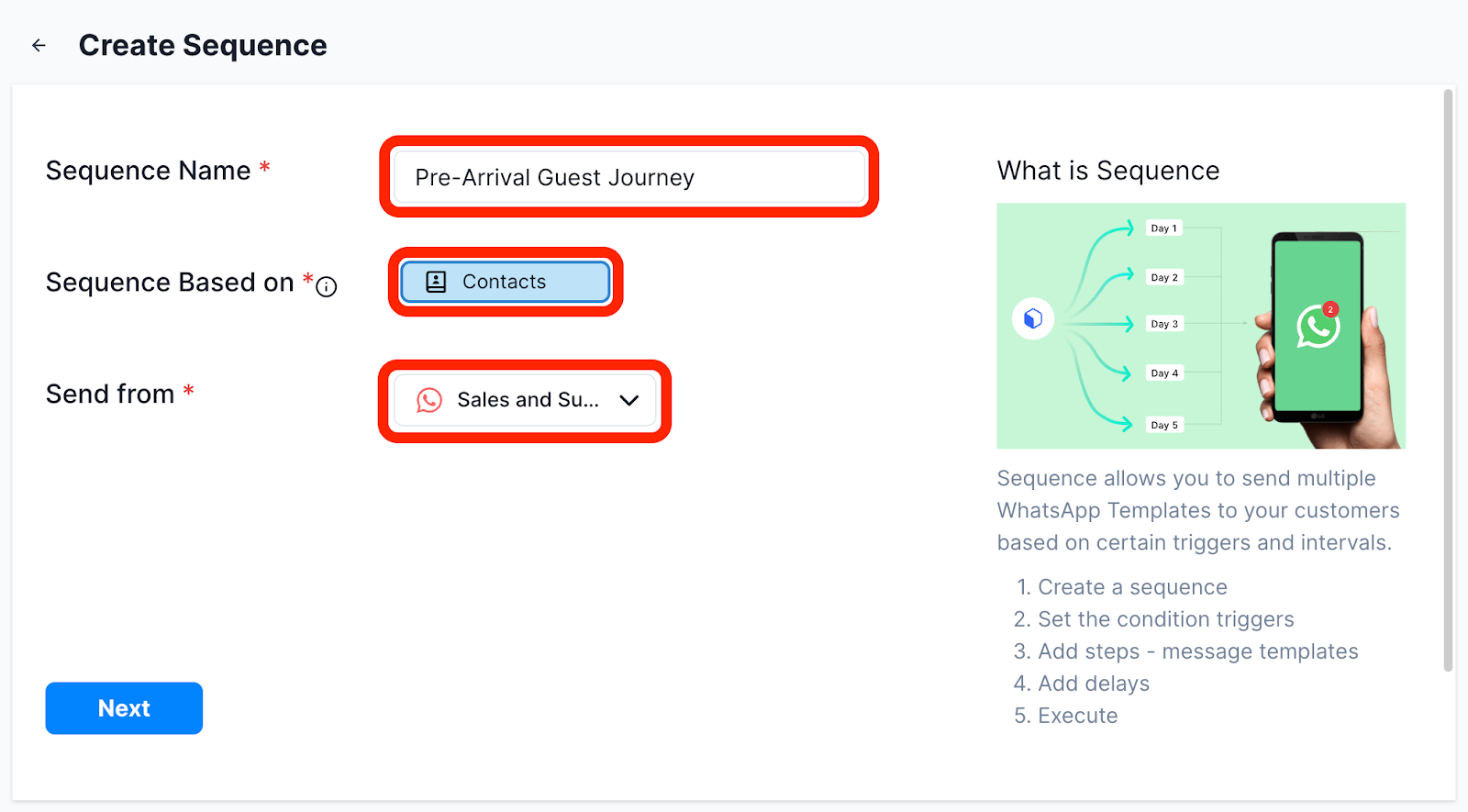
- Enter your sequence name (e.g., "Pre-Arrival Guest Journey"), the target audience (tagged as "booking_confirmed"), and the channel from which you want the sequence to be sent.
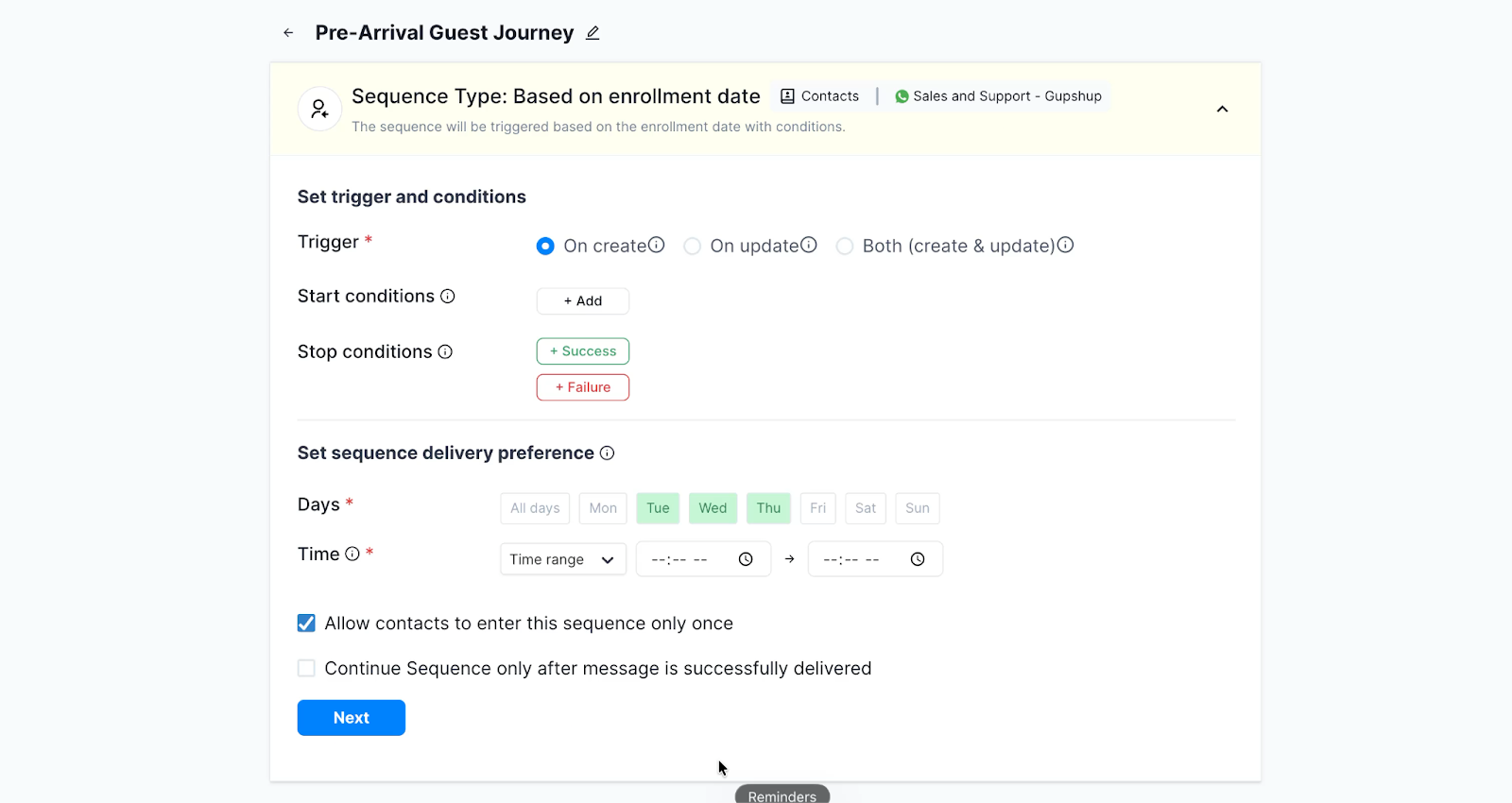
- Select the start and stop conditions and when you want the sequence to be triggered.
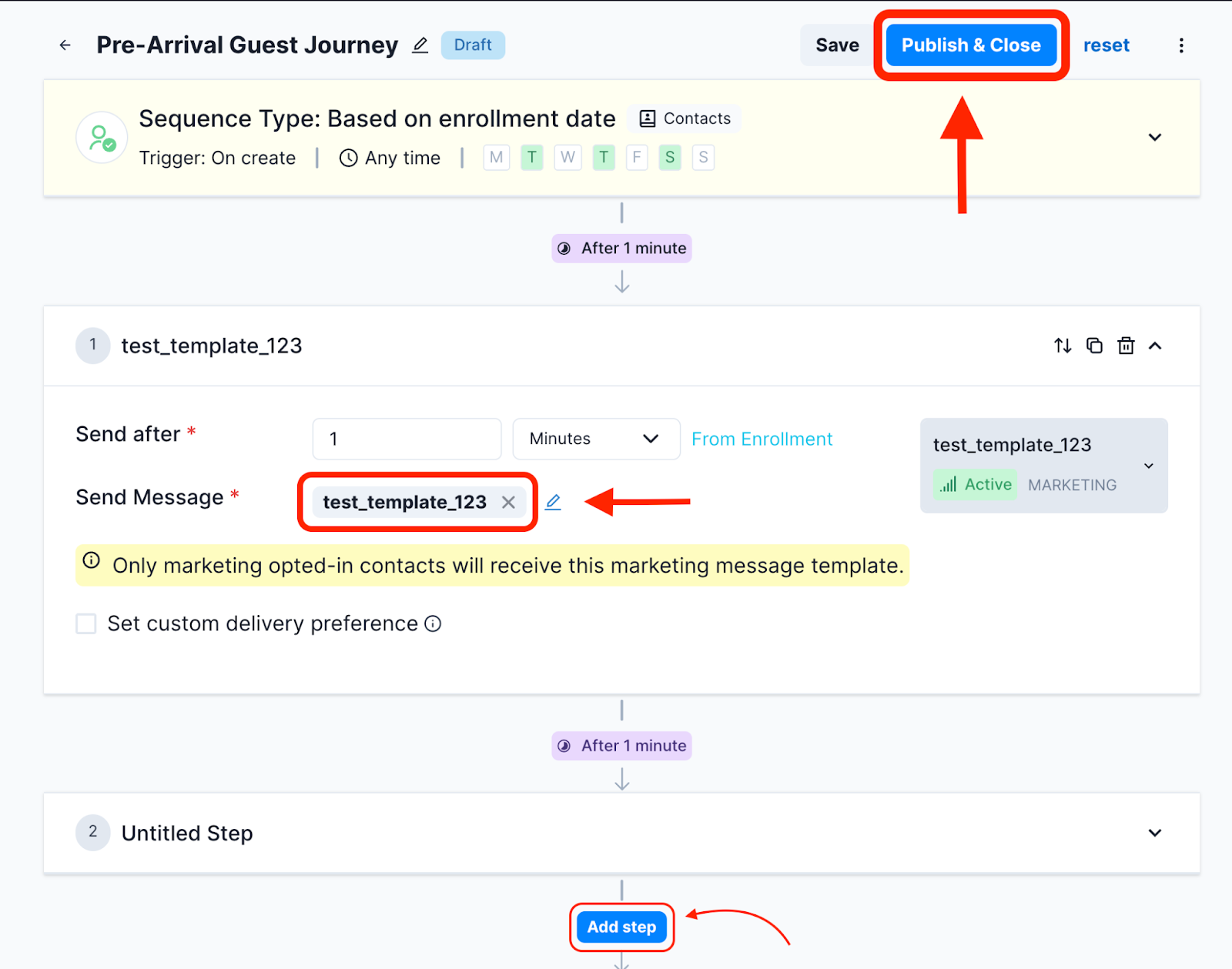
- Select the messages you want to send. Ensure that you submit your message templates for approval beforehand. Similarly, you can set the next steps of the sequence and define when each step must be triggered.
- Once you are done setting up all steps, publish the sequence.
.svg)

.png)
Get your business on WhatsApp with Gallabox
Heading

This workflow transforms the waiting period between booking confirmation and arrival into a valuable engagement opportunity. Instead of leaving guests in silence after they book, the system progressively shares useful information at strategic intervals leading up to their stay. Guests receive curated local attraction guides, convenient transport options from the airport, early access to spa and dining reservations, and streamlined digital check-in links — all delivered automatically based on their arrival date. This approach builds genuine anticipation for their stay, creates natural opportunities to increase ancillary revenue from spa treatments and dining upgrades, significantly reduces the workload on your front desk during check-in, and ensures every guest arrives feeling informed and excited rather than uncertain about what to expect.
Here’s how you can set up a pre-arrival guest experience sequence using Gallabox.
- In the Gallabox dashboard, select Sequences.
- Create a new sequence.
- Enter your sequence name (e.g., "Pre-Arrival Guest Journey"), the target audience (tagged as "booking_confirmed"), and the channel from which you want the sequence to be sent.
- Select the start and stop conditions and when you want the sequence to be triggered.
- Select the messages you want to send. Ensure that you submit your message templates for approval beforehand. Similarly, you can set the next steps of the sequence and define when each step must be triggered.
- Once you are done setting up all steps, publish the sequence.
Get your business on WhatsApp with Gallabox
Get your business on WhatsApp with Gallabox
Related articles
Take Gallabox for a 7-day ride
.svg)


%201.webp)


