




This module ensures every scheduled site visit actually happens by nudging buyers at the right moments. It reduces no-shows, helps your team prepare better, and keeps prospects committed to their chosen slot. Perfect for agents and brokers juggling multiple visits across projects.
.png)
Steps to set up pre-visit reminders
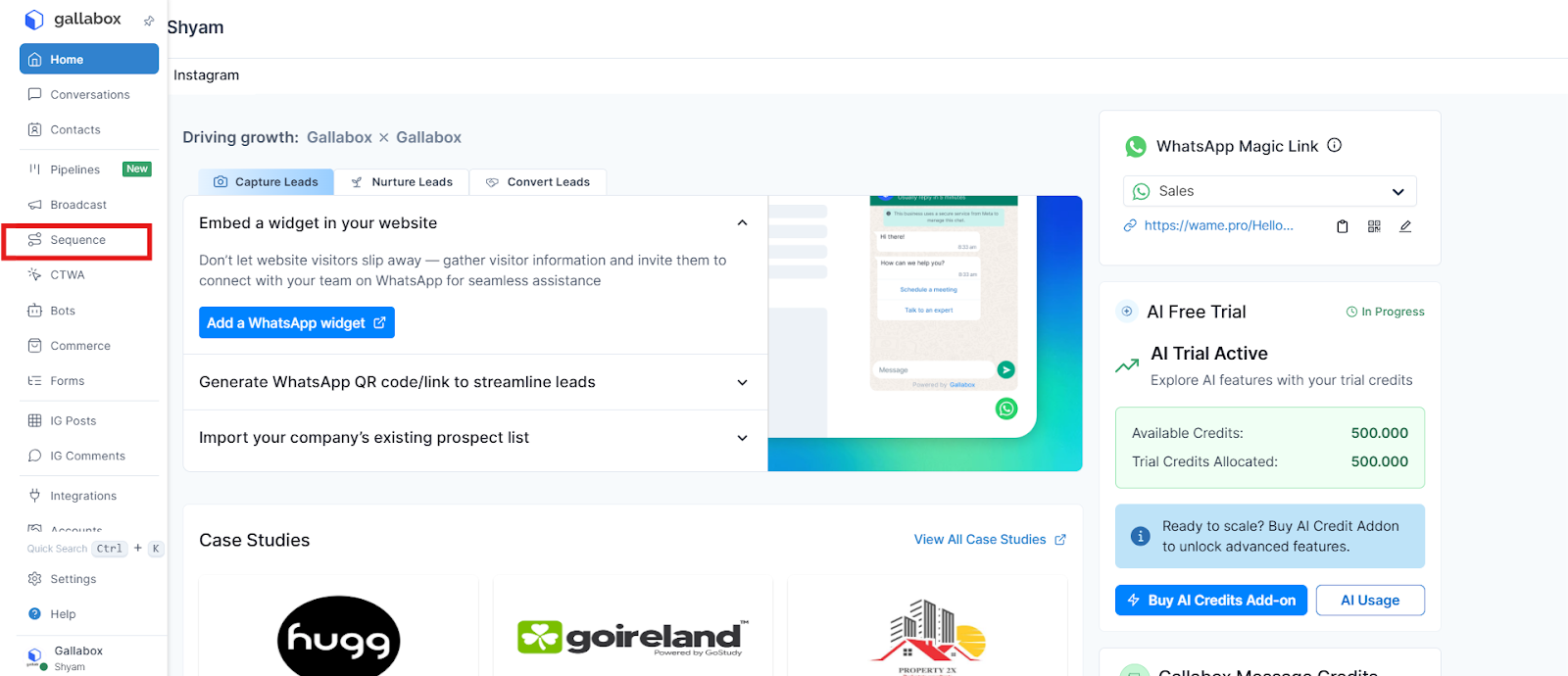
1. In the Gallabox dashboard, select Sequences.
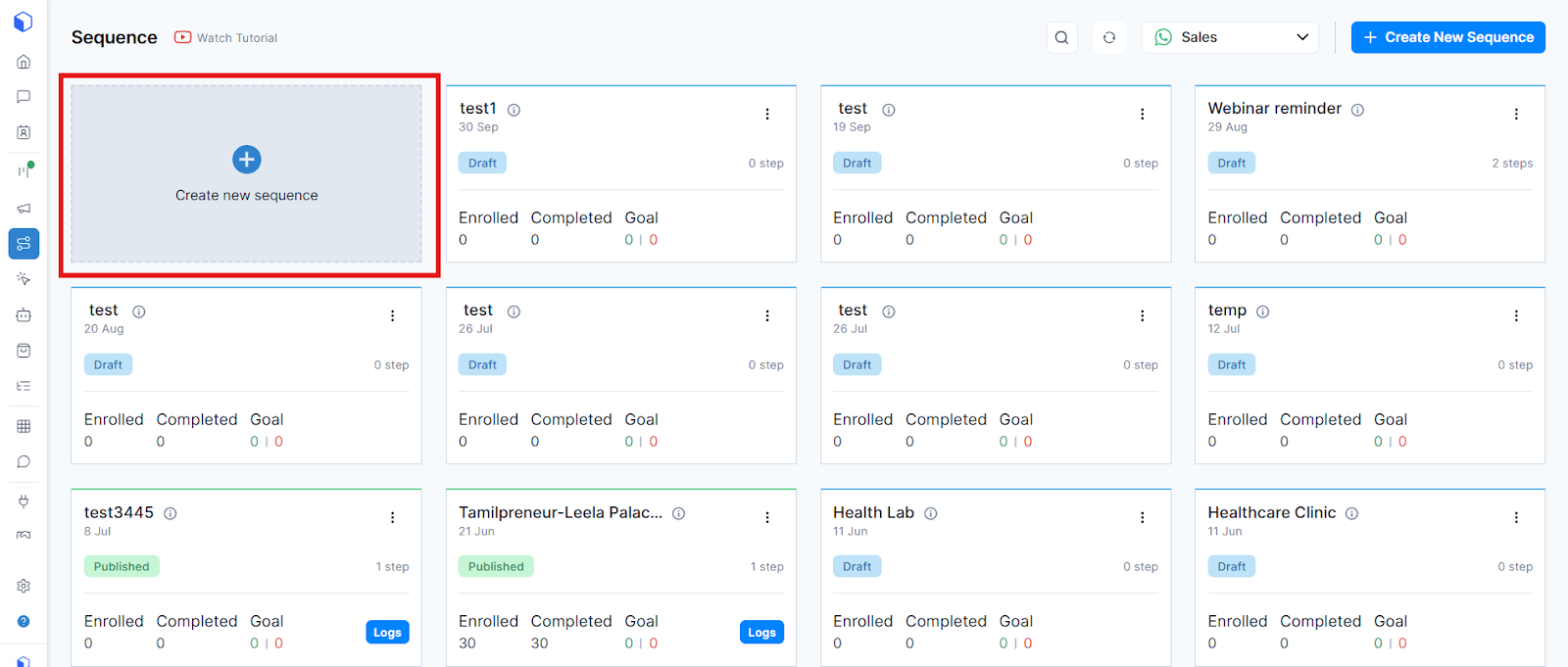
2. Create a new sequence.
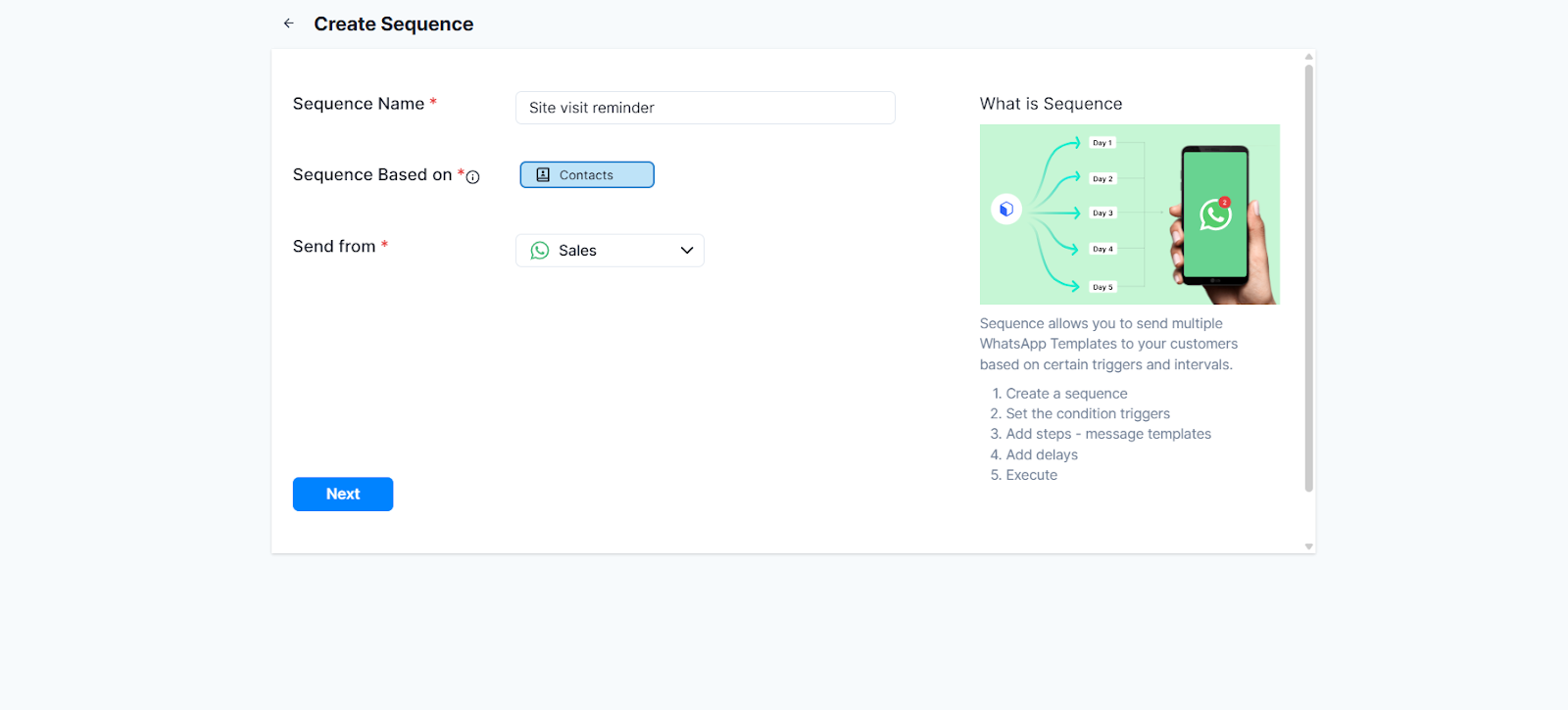
3. Enter your sequence name, the target audience, and the channel from which you want the sequence to be sent.
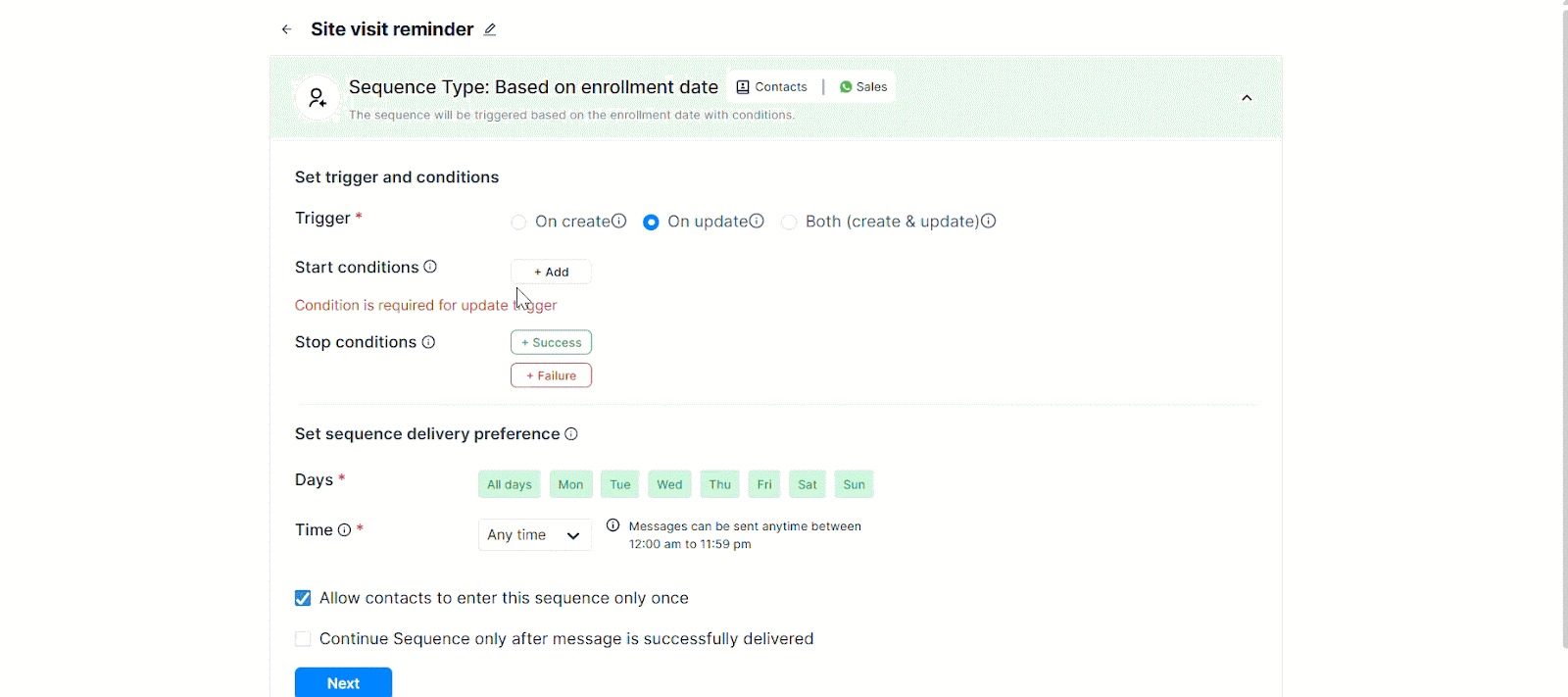
4. Select the start and stop conditions and when you want the sequence to be triggered.
5. Select the messages you want to send. Ensure that you submit your message for approval beforehand. Similarly, you can set the next steps of the sequence and set when each step must be triggered.

6. Once you are done setting up all steps, publish the sequence.
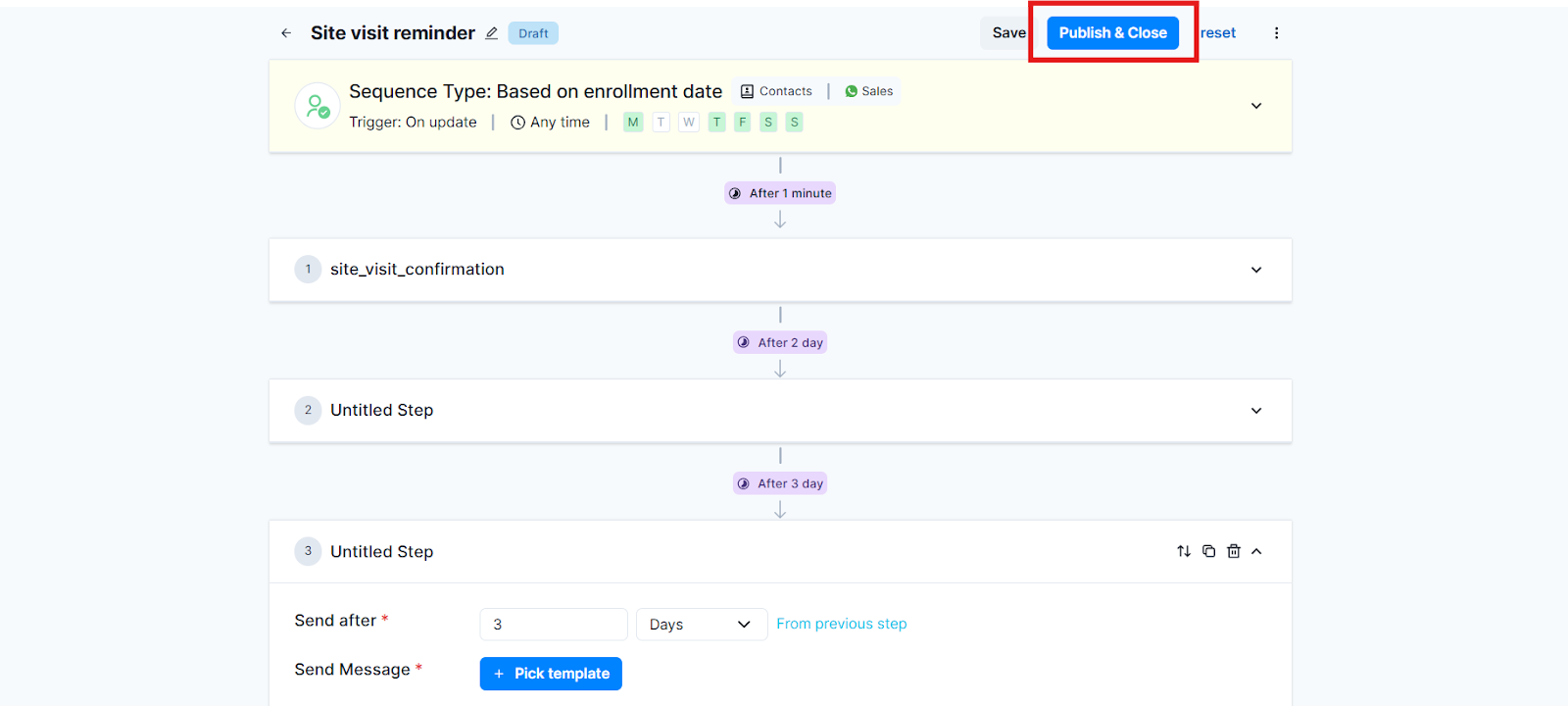
This is how you set up a site visit reminder sequence using Gallabox.
.svg)

.png)
Get your business on WhatsApp with Gallabox
Heading

This module ensures every scheduled site visit actually happens by nudging buyers at the right moments. It reduces no-shows, helps your team prepare better, and keeps prospects committed to their chosen slot. Perfect for agents and brokers juggling multiple visits across projects.
Steps to set up pre-visit reminders
1. In the Gallabox dashboard, select Sequences.
2. Create a new sequence.
3. Enter your sequence name, the target audience, and the channel from which you want the sequence to be sent.
4. Select the start and stop conditions and when you want the sequence to be triggered.
5. Select the messages you want to send. Ensure that you submit your message for approval beforehand. Similarly, you can set the next steps of the sequence and set when each step must be triggered.
6. Once you are done setting up all steps, publish the sequence.
This is how you set up a site visit reminder sequence using Gallabox.
Get your business on WhatsApp with Gallabox
Get your business on WhatsApp with Gallabox
Related articles
Take Gallabox for a 7-day ride
.svg)


%201.webp)


