


This WhatsApp workflow ensures that scheduled trial classes have high attendance by sending smart reminders and offering easy rescheduling options.
It reduces no-shows by 40-50%, keeps your class slots consistently full, and eliminates manual follow-ups.

Steps to implement smart reminders to reduce no-shows
1. In the Gallabox dashboard, select Sequences and create a new drip campaign.
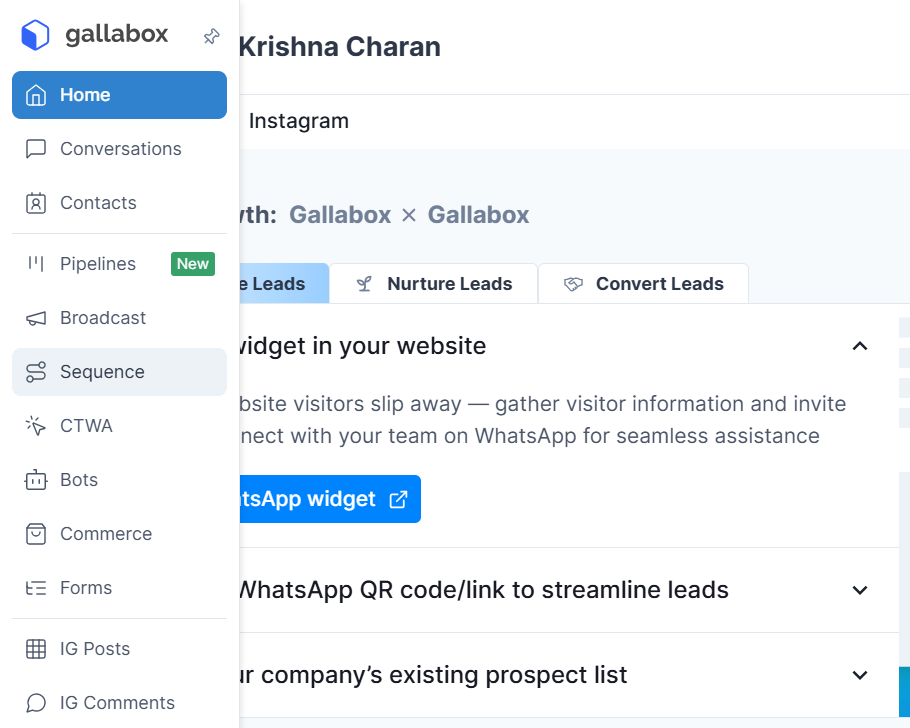
2. Create the conditions for which the parents’ contacts enter the flow. For instance, set up a “stop workflow” condition if the status of the lead is close to the demo class.
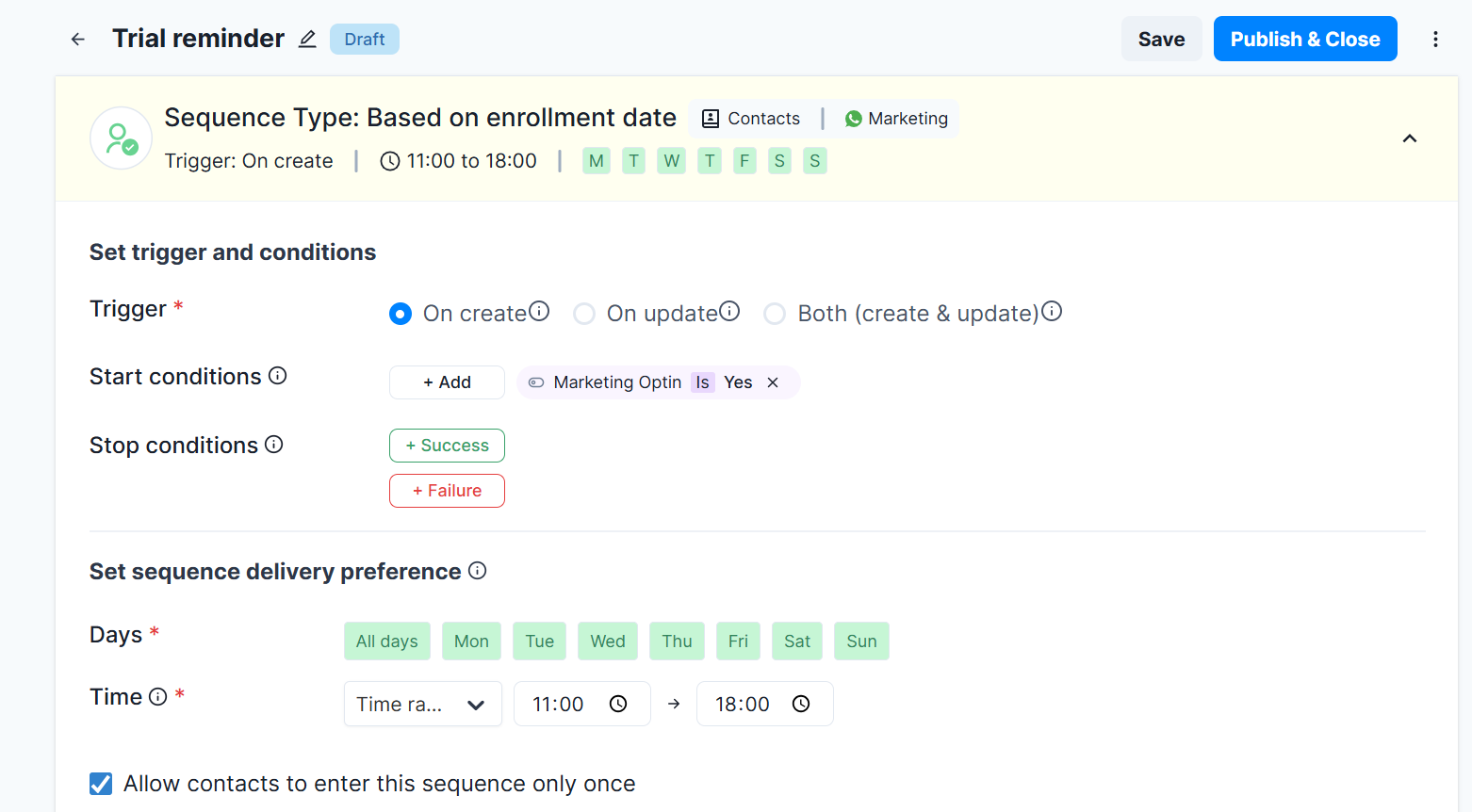
3. Set the trigger to activate 24 hours before each scheduled trial class. Add a message that confirms the trial details:
"Hi [Parent Name], [Child Name]'s trial for [Program] is tomorrow at [Time] at [Location]. We're excited!"
Note that these placeholders are based on your CRM variables and other available lead data. You can also set these up exclusively on Gallabox with an excel sheet.
4. Set up the Broadcast messages that are included in the Sequences flow separately.
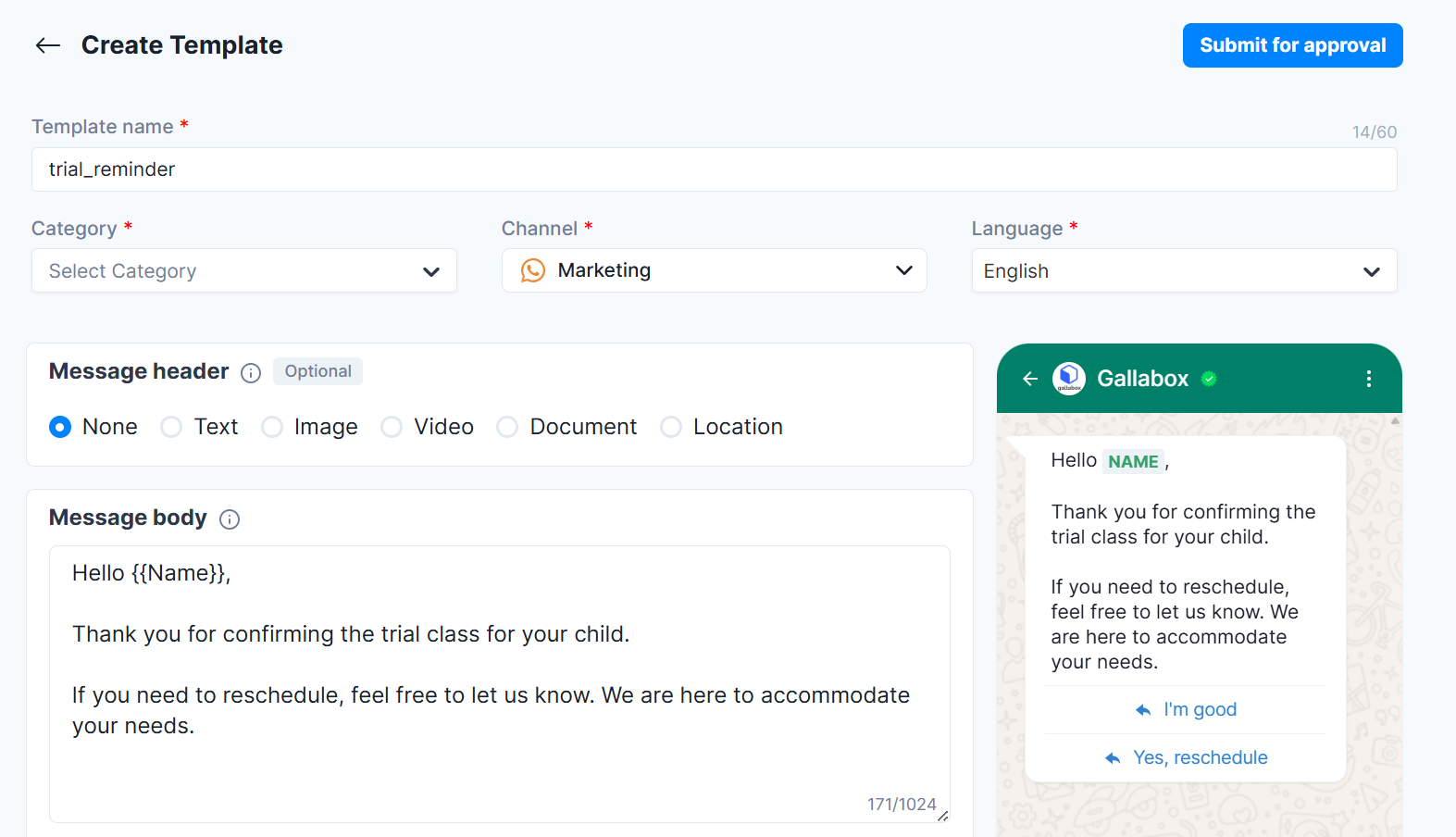
5. Add interactive buttons to the messages. Route the "Need to Reschedule" response to a WhatsApp Flow that asks for preferred date/time and integrates with Google Calendar to show available slots. This can be custom built on Gallabox or through Webhooks and Zapier.
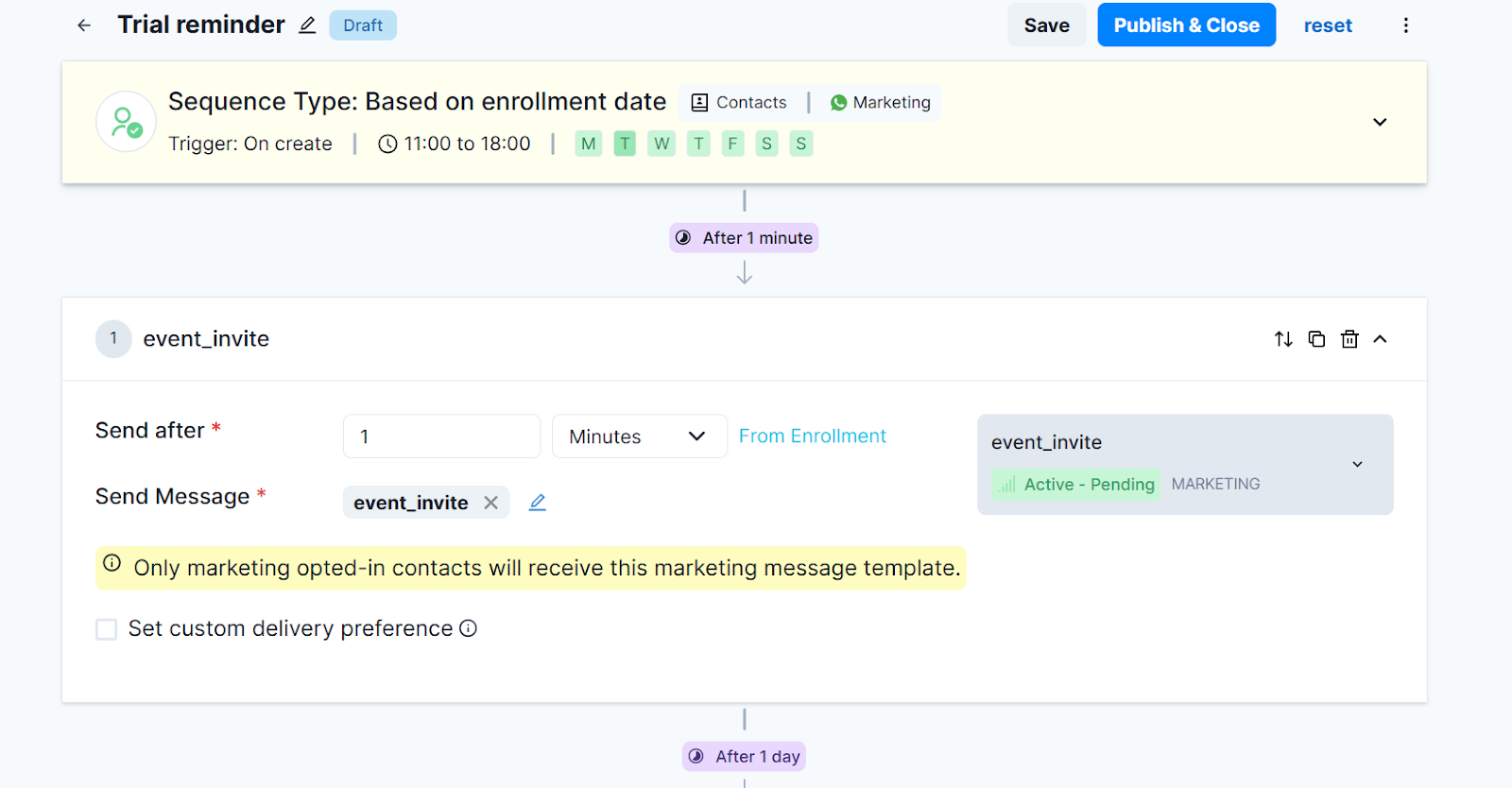
6. Once they select a new slot, update the calendar and send an instant confirmation:
"Perfect! We've moved [Child Name]'s trial to [New Date] at [New Time]."
Add a second drip message in the sequence that triggers 2 hours before the (original or rescheduled) class:
"Just 2 hours until [Child Name]'s trial! Looking forward to seeing you."
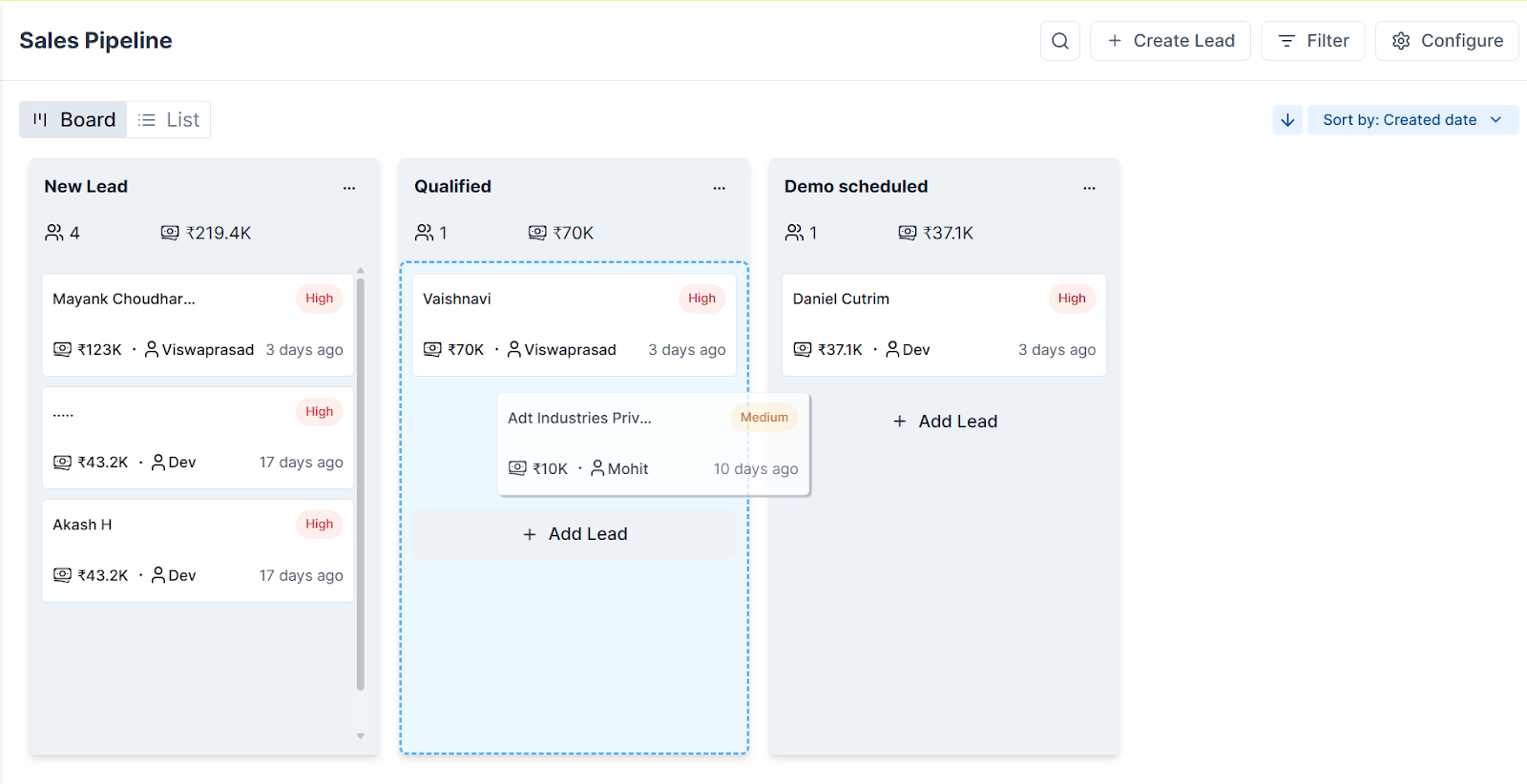
Note: For contacts who don't confirm or miss the session, apply a Tag ("No-Show – Follow-up Needed") and move them into your Pipeline Dashboard for your enrollment team to re-engage with special offers.
.svg)

.png)
Get your business on WhatsApp with Gallabox
Heading

This WhatsApp workflow ensures that scheduled trial classes have high attendance by sending smart reminders and offering easy rescheduling options.
It reduces no-shows by 40-50%, keeps your class slots consistently full, and eliminates manual follow-ups.
Steps to implement smart reminders to reduce no-shows
1. In the Gallabox dashboard, select Sequences and create a new drip campaign.
2. Create the conditions for which the parents’ contacts enter the flow. For instance, set up a “stop workflow” condition if the status of the lead is close to the demo class.
3. Set the trigger to activate 24 hours before each scheduled trial class. Add a message that confirms the trial details:
"Hi [Parent Name], [Child Name]'s trial for [Program] is tomorrow at [Time] at [Location]. We're excited!"
Note that these placeholders are based on your CRM variables and other available lead data. You can also set these up exclusively on Gallabox with an excel sheet.
4. Set up the Broadcast messages that are included in the Sequences flow separately.
5. Add interactive buttons to the messages. Route the "Need to Reschedule" response to a WhatsApp Flow that asks for preferred date/time and integrates with Google Calendar to show available slots. This can be custom built on Gallabox or through Webhooks and Zapier.
6. Once they select a new slot, update the calendar and send an instant confirmation:
"Perfect! We've moved [Child Name]'s trial to [New Date] at [New Time]."
Add a second drip message in the sequence that triggers 2 hours before the (original or rescheduled) class:
"Just 2 hours until [Child Name]'s trial! Looking forward to seeing you."
Note: For contacts who don't confirm or miss the session, apply a Tag ("No-Show – Follow-up Needed") and move them into your Pipeline Dashboard for your enrollment team to re-engage with special offers.
Get your business on WhatsApp with Gallabox
Get your business on WhatsApp with Gallabox
Related articles
Take Gallabox for a 7-day ride
.svg)


%201.webp)


